Software Buyer Brief
Identity And Access Management Buying Checklist For Small Teams
Short answer: a small team should buy identity and access management software only after it maps business apps, owners, users, roles, sensitive systems, MFA requirements, SSO coverage, joiner-mover-leaver workflows, admin permissions, access review needs, audit logs, HR or directory integrations, support ownership, pricing, renewal rules, and data export options.
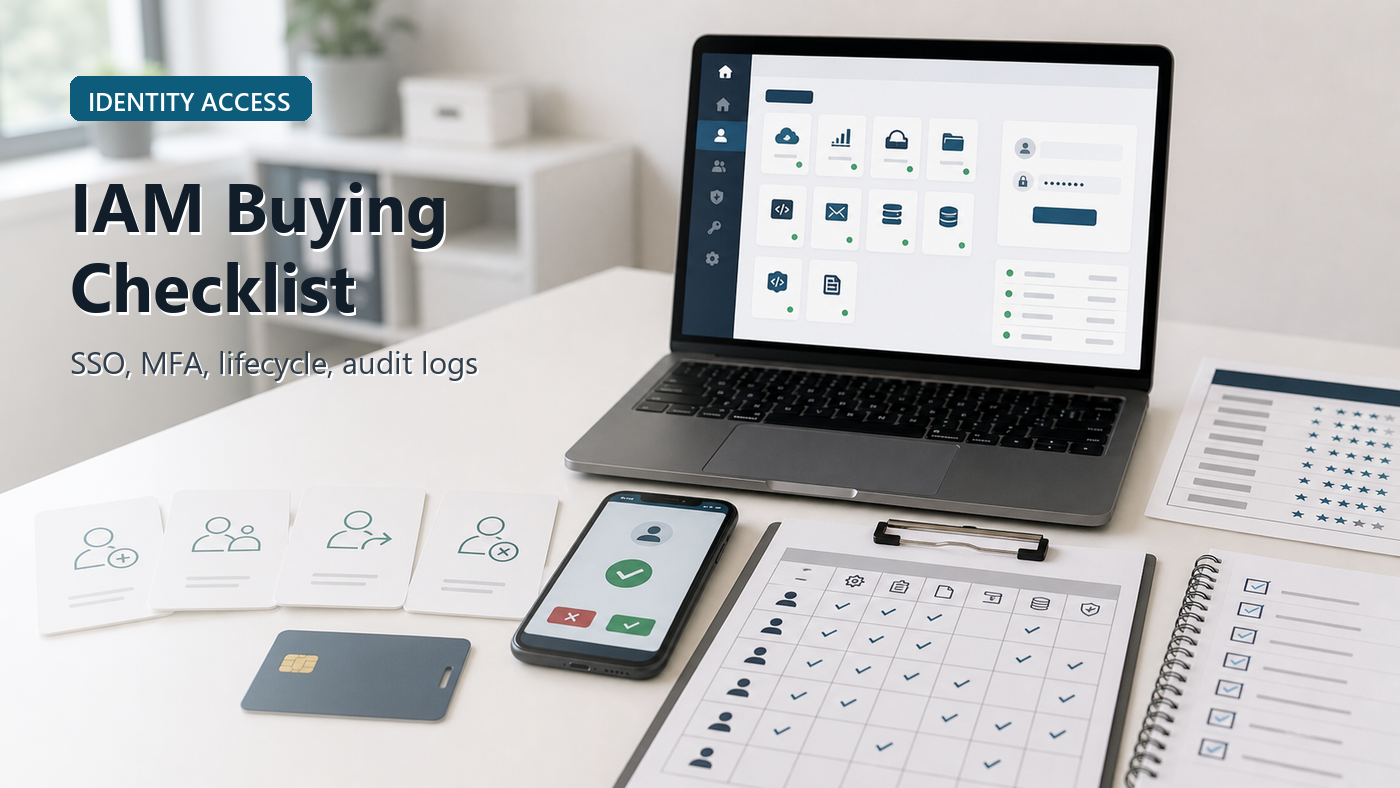
Identity and access management sounds like a big-company category. Small teams usually meet it in a smaller, messier way: too many shared logins, old employees still active in tools, contractors with forgotten access, no central MFA policy, and one person who knows which apps matter.
That is when a vendor demo can become dangerous. The team sees SSO tiles, MFA prompts, lifecycle automation, directories, device signals, and dashboards. It feels like buying order. But if the company has not mapped its apps and access rules first, it may buy a tool that centralizes confusion instead of fixing it.
This guide is a practical buying checklist for small teams. It is not a ranking of IAM vendors. It shows what to define before a demo so the company can buy the right amount of identity control without pretending it has an enterprise security team.
Start With The App List Nobody Wants To Make
The first IAM decision is not SSO. It is inventory.
List the applications the business actually uses: email, payroll, accounting, banking, CRM, help desk, password manager, cloud storage, project management, code hosting, e-commerce admin, ad accounts, analytics, phone systems, HR tools, endpoint tools, and any client portals. Then mark which apps contain sensitive data, money movement, admin control, customer records, or employee information.
FTC guidance for protecting personal information tells businesses to control access sensibly and limit access to sensitive data to employees with a legitimate business need. That advice becomes concrete only when the team knows which systems hold sensitive data and who currently has access.
If the team cannot name the important apps, an IAM demo will be mostly theater.
1. Decide Whether You Need SSO, MFA Control, Lifecycle Automation, Or All Three
IAM products often bundle several jobs together. Small teams should separate them before buying.
- Single sign-on helps users access supported apps through one identity provider.
- MFA enforcement helps require a second factor beyond a password.
- Lifecycle automation helps add, change, and remove access when people join, move roles, or leave.
- Access review helps managers confirm who still needs access.
- Privileged access controls help protect admin accounts and high-risk actions.
A 12-person business may need strong MFA and clean offboarding more urgently than a complex access governance suite. A 60-person business with frequent hiring and contractors may need lifecycle automation earlier. The right purchase depends on the access problem, not the vendor’s broad platform story.
2. Map Users, Roles, And App Owners
IAM does not remove the need for ownership. Someone still has to decide who should access payroll, who can approve refunds, who can export customer data, who can create admin users, and who can invite contractors.
Before the demo, define a simple role map:
- Employees by department or function
- Owners and executives
- Finance and payroll users
- Operations and support users
- IT administrators or outside managed service providers
- Temporary contractors
- App owners who approve access
Ask the vendor to show how access requests, approvals, and removals would work for those real groups. If every group becomes a custom exception, the tool may be too heavy or the company rules may still be too vague.
3. MFA Should Be Enforced, Not Politely Suggested
CISA says MFA adds an extra layer of protection by requiring two or more ways to verify a user’s identity, and its small and medium business guidance says businesses should aim to use MFA on all accounts. For IAM buying, the key phrase is not “supports MFA.” The key phrase is “enforces MFA.”
Ask:
- Can MFA be required for all users?
- Can admins require stronger MFA?
- Can risky logins trigger extra verification?
- Which authenticators are supported?
- Can users bypass MFA, and who can approve that?
- How are lost phones or security keys handled?
NIST SP 800-63B describes authentication assurance levels and authenticator lifecycle requirements. A small business does not need to quote NIST in a demo, but it should ask practical lifecycle questions: enrollment, recovery, revocation, replacement, and monitoring.
4. SSO Coverage Is Never As Complete As The Sales Deck
SSO is useful when the team’s important apps support it and the configuration is actually included in the plan. But small teams often discover that some apps require higher-priced tiers, older apps do not support modern SSO, banking portals cannot be federated, or contractors still need direct accounts.
Ask for an app-by-app coverage review:
- Which current apps support SSO on the company’s current plan?
- Which apps require a higher vendor tier?
- Which apps still need direct passwords?
- Can unsupported apps be tracked anyway?
- How are shared accounts handled?
- What happens if the IAM provider is unavailable?
The goal is not perfect SSO on day one. The goal is to avoid believing that SSO covers more than it really does.
5. Joiner-Mover-Leaver Workflows Matter More Than The Login Page
Most identity failures in small teams are not dramatic attacks. They are ordinary lifecycle mistakes. A new employee waits three days for access. A contractor keeps access after the project. A promoted manager keeps old permissions and gains new ones. A terminated employee remains active in a tool nobody checked.
Ask the vendor to show lifecycle workflows for three cases:
- New hire receives baseline access
- Employee changes role or department
- Employee or contractor leaves and access is removed
If the company has an HR system, ask whether it can trigger changes. If there is no HR system, ask whether CSV import, directory groups, approval forms, or manual tasks can still create a reliable process.
6. Admin Roles Should Be Narrow And Logged
The IAM admin account can become one of the most powerful accounts in the company. It may control SSO, MFA resets, app assignments, group membership, login policies, and sometimes directory synchronization.
The NSA/CISA identity and access management guidance identifies identity governance, federation/single sign-on, MFA, auditing, monitoring, and environmental hardening as key IAM areas. For a buyer, that translates into a direct question: how does the product protect the people who administer identity itself?
Ask whether the product supports:
- Separate admin roles
- Strong MFA for admins
- Break-glass account controls
- Approval for high-risk changes
- Admin action logs
- Alerts for policy changes
- Temporary admin access
Do not give broad identity admin rights to every person who might occasionally reset a password.
7. Access Reviews Should Be Small Enough To Actually Finish
Access review is the part many small teams skip because it sounds bureaucratic. But the basic idea is simple: periodically confirm who still needs access to sensitive apps.
Start with a small review scope. Payroll, banking, email admin, cloud storage admin, CRM export rights, code repositories, and production systems are better first targets than every low-risk tool.
Ask the vendor:
- Can reviews be limited to sensitive apps?
- Can app owners approve or remove access?
- Can reviewers see last login or usage signals?
- Can decisions be exported for evidence?
- Can contractor access expire automatically?
A review nobody completes is not a control. Buy a workflow the team can actually run.
8. Logs Should Answer Who, What, When, And From Where
IAM logs should help the company answer basic incident questions quickly. Who logged in? From where? With what factor? Which app did they access? Who changed the policy? Who reset MFA? Who added the contractor?
Ask for a sample export. Useful fields include:
- User and group
- Application accessed
- Login result and MFA result
- Source IP and approximate location
- Device or browser signal where available
- Admin action
- Policy change
- App assignment change
- Export format and retention period
If the company has no SIEM, ask how logs will be searched in the product itself. If the company does have a SIEM or security provider, ask how events are exported.
9. Device And Conditional Access Features Need A Reality Check
Vendors often show policies based on device health, location, risk score, network, app sensitivity, or user group. These can be useful. They can also be more advanced than the small team is ready to operate.
Ask what signals are available without buying another product. Can the IAM tool tell whether a device is managed? Can it integrate with MDM or endpoint security? Can it require stronger checks for unknown devices? Can it block legacy protocols that do not support modern authentication?
CISA’s Zero Trust Maturity Model treats identity as one of the core pillars and discusses access decisions that become more dynamic as organizations mature. A small team does not need to buy the most mature version on day one. It does need a path that can improve beyond static passwords.
10. Pricing Can Hide In App Connectors, Directories, And Lifecycle Features
IAM pricing can look clean until the team asks about the details. SSO, MFA, directory sync, lifecycle automation, app provisioning, access reviews, logs, API access, premium support, and advanced policies may sit in different tiers.
Ask the vendor to price the real rollout:
- All employees
- Contractors and external users
- Admin users
- SSO apps that require paid connectors
- Lifecycle automation or provisioning
- Access reviews
- Log retention and exports
- Implementation help
- Support tier
Also ask what happens at renewal if employee count changes or the company only uses MFA and SSO but not governance features.
11. Migration And Rollout Should Start With The Highest-Risk Apps
A small team should not connect every app at once just because the tool can. Start with a small, high-value rollout: email, password manager, payroll, finance, cloud storage, admin portals, and remote access. Then expand when the support process is working.
Ask for a rollout plan that includes:
- Admin setup and backup admin controls
- First app group
- User communication
- MFA enrollment
- Recovery process
- Help desk responsibility
- Fallback plan if SSO setup breaks access
- Post-rollout access review
The best IAM implementation is boring. Users know what changes, admins know how to recover access, and the business knows which high-risk apps are now under control.
12. Exit Terms Matter Because Identity Becomes Infrastructure
Once the company uses an IAM product for SSO and MFA, the tool becomes part of daily operations. Leaving it is not as simple as canceling a small app subscription.
Ask before signing:
- Can users, groups, app assignments, and logs be exported?
- How long are logs retained after cancellation?
- What happens to SSO connections when the contract ends?
- How are MFA factors removed or migrated?
- Can the company downgrade without losing access?
- What notice period applies at renewal?
The team should never discover cancellation mechanics after the identity provider is already controlling business login.
IAM Buying Scorecard
| Buying Area | What To Confirm | Question To Ask |
|---|---|---|
| App inventory | Business apps, sensitive systems, app owners, current access | Which apps actually need identity control first? |
| SSO coverage | Supported apps, unsupported apps, tier limits, direct-password exceptions | Which critical apps will not be covered by SSO? |
| MFA | Enforcement, admin MFA, recovery, bypass rules, authenticator types | Can MFA be enforced for every important account? |
| Lifecycle | Joiner, mover, leaver, HR trigger, contractor expiration | How does access get removed when someone leaves? |
| Admin control | Role-based admin, break-glass account, policy-change logs | Who can change identity rules and reset MFA? |
| Access review | App owner review, sensitive apps, last-login context, evidence export | Can we run a review small enough to finish? |
| Logs | Login, MFA, app access, admin actions, exports, retention | Can we answer who accessed what and who changed what? |
| Rollout | First apps, user communication, recovery, support owner, fallback plan | What happens if SSO breaks access during rollout? |
| Contract | Seats, contractors, connectors, logs, governance features, renewal, export | What costs more after the pilot? |
Message To Send Before The Vendor Demo
Before the IAM demo, please show how your product would handle our app inventory, SSO coverage gaps, MFA enforcement, joiner-mover-leaver workflow, contractor access expiration, admin role separation, access reviews for sensitive apps, audit log export, rollout plan, support model, pricing tiers, renewal terms, and export process if we leave the product.
FAQ
What should small teams check before buying IAM software?
Small teams should check app inventory, user groups, app owners, SSO coverage, MFA enforcement, joiner-mover-leaver workflows, admin roles, access reviews, logs, integrations, support, pricing, renewal terms, and export options.
Is IAM only for large companies?
No. Small teams may need IAM when they have sensitive apps, frequent hiring or contractors, shared logins, weak offboarding, inconsistent MFA, or too many disconnected admin accounts. The purchase should match the team’s actual access problem.
Is SSO the same as identity and access management?
No. SSO is one IAM capability. IAM can also include MFA enforcement, lifecycle automation, app provisioning, access reviews, admin role controls, audit logs, and policy-based access decisions.
What is the biggest IAM buying mistake?
The biggest mistake is buying the platform before mapping apps, owners, users, roles, sensitive systems, offboarding rules, and support responsibility. Without that map, the tool may centralize messy access instead of cleaning it up.
Sources Checked
- CISA: More Than A Password
- CISA: Require Multifactor Authentication
- NIST SP 800-63B-4: Authentication and Authenticator Lifecycle Management
- NSA/CISA: Identity and Access Management Recommended Best Practices
- CISA: Zero Trust Maturity Model Version 2.0
- FTC: Protecting Personal Information – A Guide for Business
The Buying Rule
Buy IAM software only when the team can explain which apps matter, who owns them, who should have access, how MFA is enforced, how access changes when people join or leave, who can administer identity, what logs prove activity, and how the company can leave the vendor. Identity becomes infrastructure. It deserves a buying process that starts with access reality, not a polished login screen.