Software Buyer Brief
Business Phone System Buying Checklist For Small Businesses
Short answer: small businesses should evaluate a business phone system by testing real call flow: main number, number porting, E911 address setup, business hours, auto attendant, ring groups, voicemail, mobile app, desk phones, call recording, messaging, CRM or help desk integration, admin permissions, MFA, support, migration timing, cancellation, and export. A phone demo is not complete until the team knows what happens on cutover day and what happens when a customer calls the main number.
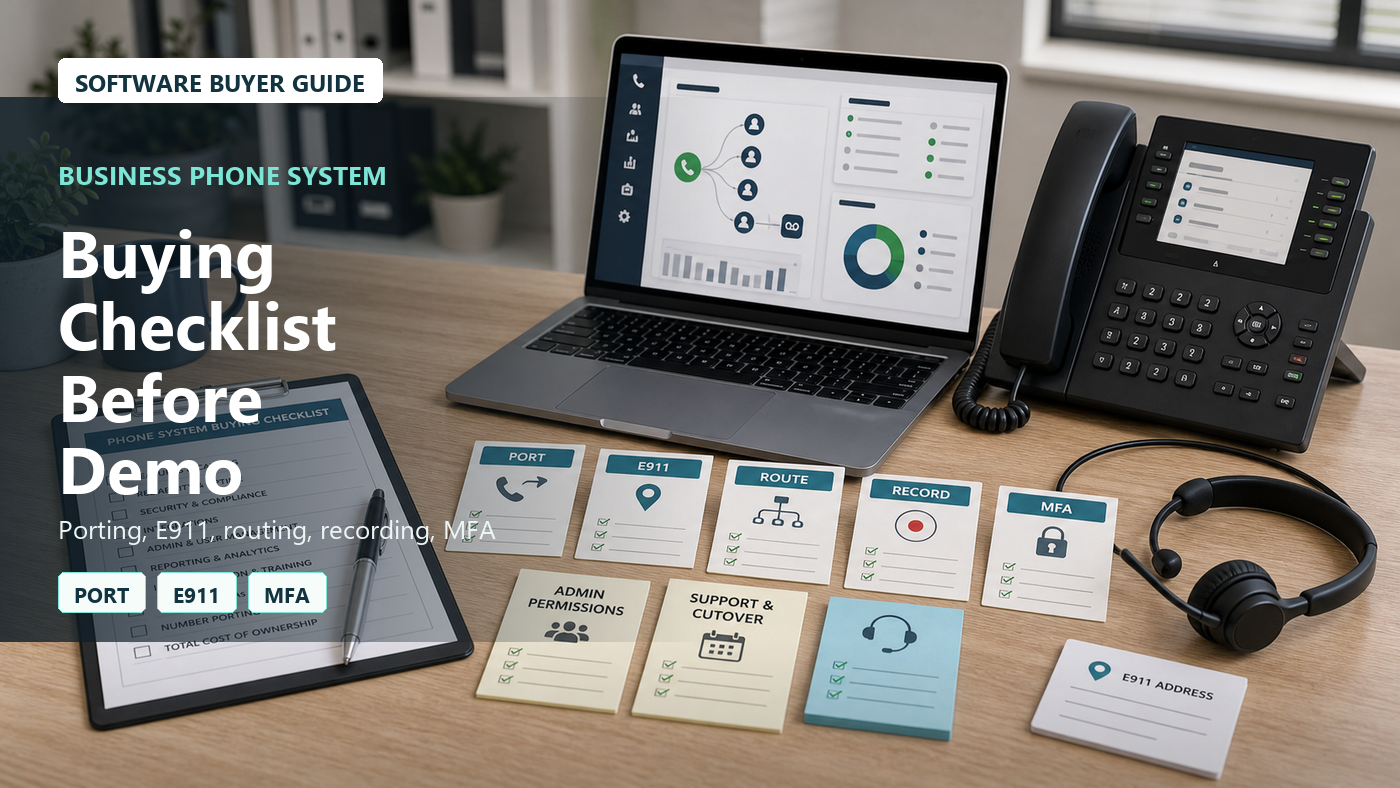
Business phone systems are easy to underestimate because every vendor can show a clean call menu. The real buying risk is not whether calls can ring. It is whether the business can keep its numbers, route calls correctly, handle emergency address requirements, support remote staff, protect admin access, train users, and leave the provider later without chaos.
This checklist is for small businesses comparing VoIP, cloud PBX, hosted phone systems, UCaaS, or call routing software. It is not a vendor ranking. It is a practical demo script.
Start With The Calls That Cannot Fail
Before comparing features, list the calls the business cannot afford to mishandle.
- New customer calls to the main number
- Existing customer support calls
- Sales calls after hours
- Missed calls that should become follow-up tasks
- Emergency or urgent calls
- Calls to specific employees or locations
- Voicemail that must reach the right person quickly
The demo should use those call paths, not only a generic auto attendant.
Number Porting Needs A Cutover Plan
Keeping existing business numbers is often the most stressful part of a phone migration. The FCC’s number porting consumer guide explains the general right to keep a number when changing providers in the same geographic area. For a small business, the buying question is operational: who manages the port and what happens if the request is rejected?
- Which numbers are being ported?
- Who collects account numbers, PINs, billing names, and service addresses?
- What happens if the old provider rejects the port?
- Will temporary forwarding be used?
- Can the business test outbound calls before cutover?
- When should the old service be canceled?
Do not cancel the old phone service until the porting plan is clear.
VoIP Requirements Should Be Discussed Plainly
The FCC’s VoIP consumer guide is a useful plain-English reference for understanding that VoIP uses broadband internet instead of a traditional phone line. The small-business buyer should turn that into practical questions.
- What internet quality is required?
- Will calls work during an internet outage?
- Is cellular failover needed?
- Are desk phones, softphones, and mobile apps included?
- Will staff need headsets?
- Who tests call quality before cutover?
A phone system should be tested from the locations where staff actually work.
E911 Address Setup Is Not A Checkbox
VoIP emergency calling can depend on registered location information. The FCC’s VoIP and 911 service guidance is relevant because small businesses may have remote workers, multiple offices, shared devices, and mobile apps.
- How are E911 addresses entered?
- Can each user or device have a different emergency address?
- How are remote worker addresses updated?
- Can admins audit missing or stale addresses?
- What warnings are shown to users?
- Who owns emergency address updates after go-live?
Ask the vendor to show E911 setup in the demo, not just say it is supported.
Call Routing Should Match Real Business Hours
Call routing should reflect how the business works on weekdays, after hours, holidays, lunch breaks, staffing gaps, and emergencies.
- Main greeting
- Auto attendant menu
- Ring groups
- Call queues
- Overflow routing
- After-hours routing
- Holiday schedule
- Emergency closure message
Ask the vendor to build the actual call tree during the demo. If it takes too many hidden settings, support burden may be high later.
Voicemail And Missed Calls Need Ownership
A missed call is only useful if someone follows up. The phone system should show who owns voicemail, missed call notifications, and callbacks.
- Can voicemail go to email or app notification?
- Can voicemail be assigned to a shared inbox?
- Can missed calls create tasks?
- Can calls be tagged as returned?
- Can managers see unreturned calls?
- Can voicemail transcription be turned off if not needed?
The demo should show what happens after no one answers.
Call Recording Requires Policy And Permissions
Call recording can be useful for training and quality review, but it also raises permission, access, storage, retention, and compliance questions. The software quote should not treat recording as a small toggle.
- Which calls are recorded?
- Can recording be limited by user, queue, or department?
- Where are recordings stored?
- How long are recordings retained?
- Who can listen, download, or delete recordings?
- Can recording be paused when sensitive information is shared?
Ask the vendor to show recording permissions and retention settings before buying.
Integrations Should Follow One Customer Call
Phone integrations can sound impressive, but the buyer should test one practical workflow.
- Does caller ID match a CRM contact?
- Can a call note sync to CRM or help desk?
- Can a missed call create a ticket?
- Can call recordings link to the right customer record?
- What happens when the contact does not already exist?
- Are integration failures visible?
“Integrates with CRM” is not enough. The demo should show the actual record created or updated.
Admin Roles And MFA Are Core Features
Phone systems can control customer communication, call forwarding, recordings, billing, numbers, and user access. Admin security matters.
CISA’s multi-factor authentication guidance, FTC’s Start with Security, and NIST’s small business cybersecurity resources are useful references for treating the phone system like a business-critical cloud account.
- Does the plan include MFA?
- Can roles separate billing, call routing, recordings, and user management?
- Can managers edit only their team?
- Can former employees be disabled quickly?
- Are admin changes logged?
- Can forwarding rules be audited?
If a compromised admin can redirect business calls, the phone system is a security surface.
Devices And Apps Should Be Tested Before Purchase
Small teams may use desk phones, mobile apps, desktop apps, browser calling, conference phones, headsets, and analog adapters. The quote should say what is included.
- Which desk phone models are supported?
- Are phones rented, purchased, or reused?
- Are mobile and desktop apps included?
- Are headsets included?
- Who configures devices?
- What happens if a remote worker changes address or network?
Ask users to test the app before signing if mobile calling matters.
Support And Cutover Coverage Need Written Scope
The most important support window is migration week. The buyer should know who helps when phones are being ported, devices are activated, and call routing is going live.
- Is onboarding included?
- Is live cutover support included?
- What hours is support available?
- Can urgent call-routing issues be escalated?
- Who trains admins?
- Who trains regular users?
A cheap plan with weak support can become expensive on cutover day.
Pricing Should Include The Whole Phone Estate
Phone system pricing can depend on users, numbers, minutes, toll-free usage, SMS, call recording storage, devices, contact center features, integrations, onboarding, support, and taxes or fees.
- Users and extensions
- Phone numbers
- Toll-free numbers and minutes
- International calling
- SMS or messaging
- Call recording
- Devices and headsets
- CRM or help desk integration
- Implementation support
- Cancellation and number port-out
Give the vendor a 12-month usage scenario and ask for the total expected cost.
Cancellation And Port-Out Should Be Reviewed Before Signing
The business should understand how to leave before it buys. Phone numbers are part of the business identity.
- Can numbers be ported out?
- What information is needed for port-out?
- Can call recordings be exported?
- Can call logs be exported?
- Can greetings and routing settings be exported or documented?
- How long is data retained after cancellation?
A phone provider that makes exit vague creates future risk.
Business Phone System Demo Scorecard
| Demo Area | What To Ask For | Why It Matters |
|---|---|---|
| Porting | Show number inventory, port request fields, rejection handling, and cutover plan. | The business must keep calls working during migration. |
| E911 | Show emergency address setup by user, device, and location. | VoIP location data needs active management. |
| Routing | Build main menu, ring group, queue, voicemail, after-hours, and holiday rules. | Customer calls should reach the right person. |
| Integrations | Create a CRM or help desk record from a real call scenario. | Integration claims need proof. |
| Security | Show MFA, roles, audit logs, recording permissions, and user removal. | Phone admin access can redirect business communication. |
| Exit | Show port-out, call log export, recording export, and cancellation rules. | The business should not be trapped. |
Questions To Ask Before Buying
- Which numbers must be ported?
- Who manages porting paperwork and rejections?
- How are E911 addresses maintained?
- What happens during an internet outage?
- Can the demo build our real call routing?
- Who owns voicemail and missed-call follow-up?
- What recording permissions and retention rules are included?
- Which devices and apps are included?
- What support is available during cutover?
- How do we port out and export data if we cancel?
Approval test: before buying, the team should be able to port one number on paper, assign E911 addresses, route one real customer call, record and export a call if needed, remove a user, and explain the cancellation path.
Red Flags In Phone System Demos
- Number porting is treated as automatic.
- E911 address setup is not shown.
- The demo avoids poor internet or outage scenarios.
- Call routing requires vendor support for every small change.
- Recording storage and access rules are vague.
- MFA or audit logs require a higher plan.
- Support during cutover is not included.
- Port-out and data export are unclear.
FAQ
What should small businesses check before buying a phone system?
They should check number porting, E911 address setup, internet requirements, call routing, voicemail ownership, mobile and desktop apps, devices, call recording, integrations, admin roles, MFA, audit logs, support, migration, pricing, cancellation, and port-out.
Is a VoIP phone system reliable enough for a small business?
It can be, but reliability depends on internet quality, network setup, device configuration, provider uptime, support, and backup plans. Buyers should test calls from the actual office and remote locations before cutover.
What is number porting in a phone system migration?
Number porting is the process of moving existing phone numbers to the new provider. The buyer should confirm required account details, timelines, rejection handling, temporary forwarding, and when it is safe to cancel the old service.
Why does E911 matter for VoIP phone systems?
VoIP emergency calling can depend on registered location information. Businesses with remote workers, mobile apps, or multiple offices should verify how emergency addresses are entered, updated, audited, and assigned to users or devices.
What is the biggest phone system buying mistake?
The biggest mistake is buying from a clean auto-attendant demo without testing porting, E911 setup, real call routing, voicemail follow-up, recordings, integrations, outage planning, admin security, cutover support, and cancellation export.