Software Buyer Brief
CRM Software Buying Checklist For Small Teams
Short answer: a small team should buy CRM software only after it defines the customer data it will store, sales stages, account ownership, required integrations, email and calendar sync rules, permissions, MFA, import and cleanup work, reporting needs, automation limits, marketing email responsibilities, mobile access, support ownership, pricing, renewal terms, and data export options.
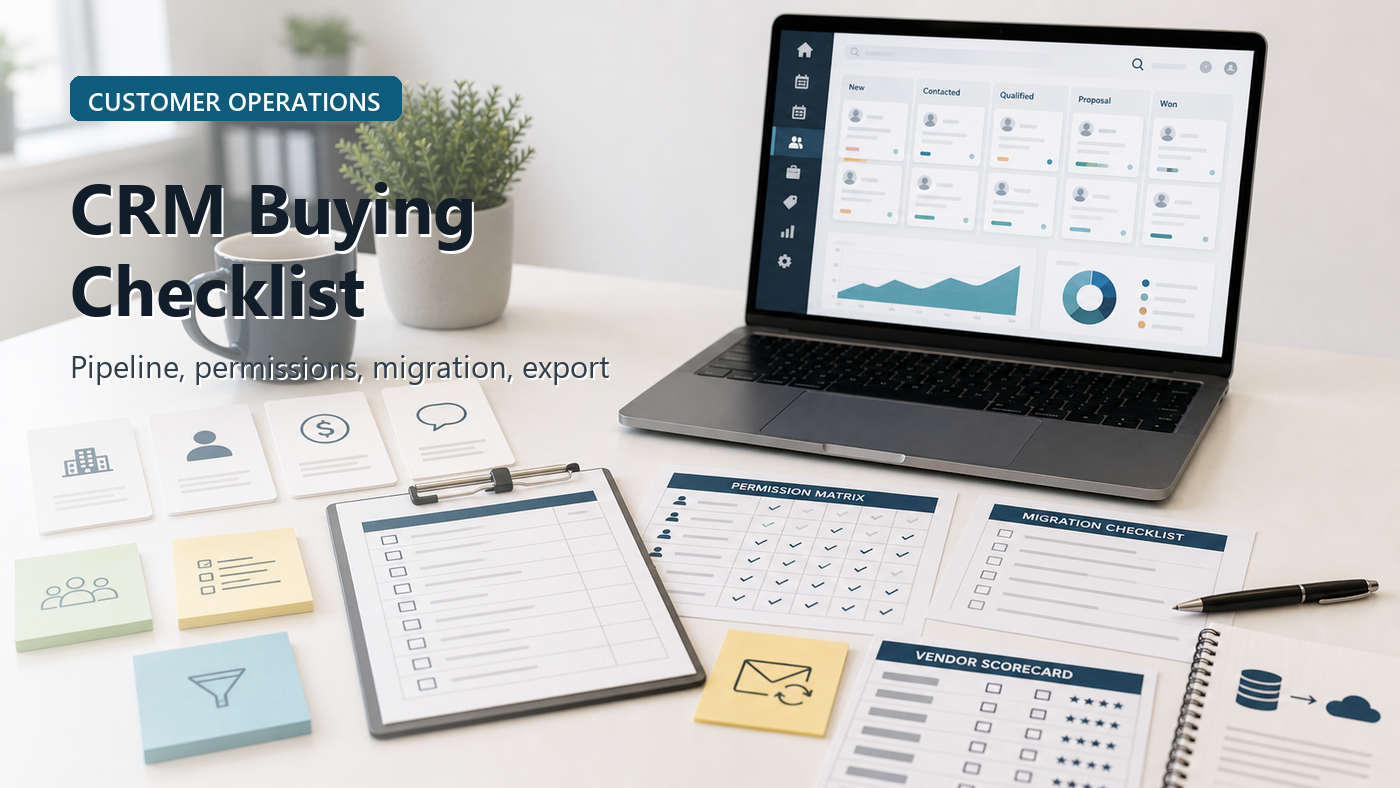
A CRM is easy to buy too early. The demo looks clean: contacts, deals, stages, tasks, notes, reports, automations, email templates, and a mobile app. The team imagines every lead finally being organized.
Then the real work starts. Old spreadsheets do not import cleanly. Sales stages mean different things to different people. Email sync exposes private threads. Managers want reports that require fields nobody fills in. Marketing wants lists. Support wants context. Finance wants renewal dates. The cheapest plan does not include the permission model the team assumed it had.
This guide is not a CRM ranking. It is a buying checklist for small teams that need to understand the operating system they are about to put customer relationships into.
Start With The Customer Record
Before a demo, decide what a customer record should contain. That sounds basic, but it prevents most CRM messes.
List the fields that actually matter: company name, contact name, email, phone, source, owner, status, pipeline stage, last contact date, next step, value, renewal date, product interest, support risk, contract link, and consent or marketing preference where relevant.
The FTC’s guide for protecting personal information tells businesses to take stock of what personal information they have, keep only what they need, protect what they keep, dispose of what they no longer need, and plan for incidents. A CRM is one of the places where that advice becomes daily practice. If the team stores customer data without deciding what belongs there, the CRM can become a data pile instead of a sales system.
1. Define The Pipeline Before You Buy Pipeline Software
A CRM pipeline should match the way the team sells. If stages are vague, the reports will be vague too.
Write the sales stages in plain language before the demo. For each stage, define the entry rule and exit rule. For example, “qualified” may mean the buyer has a real need, a reachable decision maker, a budget signal, and a next meeting. If the team cannot define that, the CRM cannot fix it.
Ask the vendor to show how stages, required fields, probability, close dates, lost reasons, and stalled deal alerts work. Then ask whether those features are included in the plan being quoted.
2. Assign Account Ownership And Visibility Rules
Small teams often begin with everyone seeing everything. That may work at first, but it can become a problem when the CRM contains customer notes, quotes, payment context, sensitive contacts, employee sales performance, or partner relationships.
Ask:
- Who owns a lead?
- Who owns an account?
- Can records be transferred?
- Can managers see team records?
- Can contractors or agencies have limited access?
- Can private notes be restricted?
- Can exports be limited?
FTC small business guidance on controlling access to data says companies need to manage who gets access to data. For CRM buyers, that means permission design is not an enterprise luxury. It is part of responsible customer data handling.
3. Email And Calendar Sync Need Rules Before They Need Features
Email sync is one of the most useful CRM features and one of the easiest to regret. It can save call notes, track replies, log meetings, and show communication history. It can also expose sensitive conversations, personal inbox content, legal messages, HR issues, or unrelated customer information.
Before buying, ask:
- Does sync capture all emails or only selected emails?
- Can users exclude private threads?
- Can admins see email content or only metadata?
- How are deleted or archived emails handled?
- Does sync work with shared inboxes?
- Can the company disconnect a former employee’s mailbox?
The CRM should help the team remember customer context without accidentally becoming a surveillance archive.
4. Marketing Email Features Trigger Compliance Questions
Many CRMs include email templates, sequences, newsletters, or marketing automation. That can be helpful, but it creates responsibilities.
The FTC’s CAN-SPAM guide explains that commercial email rules include requirements such as truthful header information, non-deceptive subject lines, identification of the message as an ad where required, a valid postal address, and a clear opt-out mechanism. The details depend on the message type and business context, but the buying point is simple: if the CRM sends marketing email, the team needs controls for consent, unsubscribe handling, sender identity, suppression lists, and audit trail.
Ask the vendor to show how opt-outs are stored, how unsubscribe lists are honored, how bounced emails are handled, and whether marketing permissions are separate from sales contact ownership.
5. Integrations Should Be Ranked By Workflow, Not Logo Count
A CRM with hundreds of integrations may still miss the one workflow the team needs. Before the demo, rank integrations by business value.
- Email and calendar
- Website forms
- Phone or VoIP
- Help desk
- Accounting or invoicing
- Marketing email
- Proposal or e-signature tools
- Customer support chat
- Data warehouse or reporting tools
Ask whether each integration is native, marketplace-based, API-based, or dependent on a third-party connector. Then ask who maintains it when something breaks.
6. Migration Is A Project, Not A Button
Most teams have customer data in spreadsheets, email contacts, phones, quote tools, accounting systems, forms, old CRMs, and personal notes. Importing that into a new CRM takes cleanup.
The quote should include or clearly exclude:
- Data audit
- Deduplication
- Field mapping
- Import testing
- Owner assignment
- Old pipeline status mapping
- Attachment migration
- Post-import cleanup
Ask how many records are included in implementation help and what happens if the import needs to be repeated. A cheap CRM plan can become expensive if migration is left to a busy sales manager with a messy spreadsheet.
7. Reporting Should Begin With Decisions, Not Dashboards
CRM reports are only useful if they answer decisions the team actually makes. Before buying, list the decisions the company wants to improve.
- Which lead sources convert?
- Which deals are stuck?
- Which reps need follow-up support?
- What revenue is likely this month?
- Which customers are due for renewal?
- Which quotes need action?
- Which lost reasons are increasing?
Then ask which fields users must fill in for those reports to work. If the report depends on data nobody enters, the dashboard is decoration.
8. Automation Should Remove Follow-Up Gaps, Not Create Noise
Automation can assign leads, create tasks, send reminders, update stages, trigger emails, notify managers, and create renewal workflows. It can also flood users with alerts and create confusing customer messages.
Start with two or three high-value automations:
- Create a task after a new lead arrives
- Notify an owner when a deal has no next step
- Remind the team before renewal or proposal expiry
- Flag high-value accounts with no recent contact
Ask whether automation limits, workflow steps, email sends, or premium features are included in the quoted plan.
9. Mobile Access Needs Security And Usability Checks
Sales teams often need CRM access from phones. That can be useful for notes after meetings, call logging, route planning, and quick updates. It also means customer data may be on personal devices.
CISA recommends MFA as a practical protection for accounts and data. For CRM buyers, MFA should be a baseline. Ask whether mobile access supports MFA, device restrictions, session timeout, lost-device handling, and admin removal of access.
Also test whether the mobile app is good enough for the actual field workflow. If users hate updating the CRM on mobile, the data will go stale.
10. Pricing Should Include Every User Who Touches The Customer
CRM pricing often expands beyond sales seats. Managers, support users, marketing users, finance users, contractors, administrators, and executives may all need some access. Some plans charge for automation, advanced reports, phone integration, email sequences, API usage, or support.
Ask for a quote based on the real usage model:
- Full sales users
- Read-only managers
- Support or operations users
- Marketing users
- Admin users
- Contractors or agencies
- Automation and email volume
- Implementation and migration help
- Support tier
Then ask what happens at renewal if the team downgrades, reduces seats, or needs to export data.
11. Support Ownership Should Be Clear Before Rollout
A CRM fails when nobody owns the operating rules. Someone must maintain fields, stages, permissions, duplicate cleanup, user onboarding, reports, automations, integrations, and offboarding.
Ask the vendor whether support is self-service, chat, email, phone, partner-led, or dedicated customer success. Ask whether implementation help includes workflow design or only technical setup.
Internally, name the CRM owner before purchase. The owner does not have to be a technical admin, but someone has to keep the system from turning back into a spreadsheet with a subscription fee.
12. Export And Exit Terms Are Part Of The Buying Decision
A CRM contains customer relationships. Leaving the vendor should be planned before entering the contract.
Ask:
- Can contacts, companies, deals, tasks, notes, emails, files, and activity history be exported?
- What format is available?
- Are exports included on all plans?
- How long is data retained after cancellation?
- Can attachments and custom fields be exported?
- What happens to email sync data?
- What notice period applies at renewal?
If the vendor makes data export vague, treat that as a buying risk. Customer data should not be trapped because the contract was easy to start.
CRM Buying Scorecard
| Buying Area | What To Confirm | Question To Ask |
|---|---|---|
| Customer data | Fields, data sensitivity, retention, duplicate cleanup, owner | What customer data belongs in the CRM? |
| Pipeline | Stages, entry rules, exit rules, lost reasons, close dates | Can the CRM match how we actually sell? |
| Permissions | Owners, managers, contractors, private notes, export limits | Who can see, change, and export customer records? |
| Email sync | Selected sync, full sync, private threads, shared inboxes, former users | What email content becomes visible in the CRM? |
| Marketing | Templates, sequences, unsubscribe, suppression lists, sender identity | How are opt-outs and marketing permissions handled? |
| Integrations | Email, forms, phone, support, accounting, proposals, API | Which integrations are native and included? |
| Migration | Cleanup, mapping, import testing, attachments, repeat imports | Who owns the messy data work? |
| Reporting | Lead source, stuck deals, forecast, renewal, lost reason, activity | Which decisions will reports improve? |
| Contract | Seats, automation, support, migration, renewal, export, cancellation | What costs more after rollout? |
Message To Send Before The Vendor Demo
Before the CRM demo, please show how your product would handle our customer fields, sales stages, account ownership, email and calendar sync rules, permissions, MFA, marketing opt-outs, integrations, migration from spreadsheets, reporting, automations, mobile access, support ownership, pricing tiers, renewal terms, and full data export if we leave.
FAQ
What should small teams check before buying CRM software?
Small teams should check customer fields, pipeline stages, account ownership, permissions, email sync, marketing email controls, integrations, migration work, reporting needs, automation limits, mobile access, support, pricing, renewal terms, and data export.
Is CRM software worth it for a small business?
It can be worth it when the team needs shared customer history, follow-up discipline, pipeline visibility, ownership rules, renewal tracking, or better reporting. It is less useful if the team has not defined its sales process or data owner.
What is the biggest CRM buying mistake?
The biggest mistake is buying the interface before defining customer data, pipeline stages, ownership rules, reporting decisions, and migration work. The tool cannot fix a process the team has not named.
Should CRM email sync be turned on for everyone?
Not automatically. Email sync should have rules for selected versus full sync, private threads, shared inboxes, admin visibility, former employees, and customer data retention before it is enabled broadly.
Sources Checked
- FTC: Protecting Personal Information – A Guide for Business
- FTC: Control Access To Data
- FTC: CAN-SPAM Act Compliance Guide for Business
- CISA: Require Multifactor Authentication
- NIST: Privacy Framework
The Buying Rule
Buy the CRM only when the team can describe how customer data enters, who owns it, who can see it, what pipeline stages mean, which emails are logged, which reports matter, how data migrates in, and how data comes out. A CRM should make the customer process clearer. It should not turn a messy spreadsheet into a more expensive mess.