Software Buyer Brief
Data Loss Prevention Software Checklist Before Buying
Short answer: data loss prevention software should help identify sensitive data, monitor where it moves, apply policies to risky channels, and route incidents for review without stopping normal work unnecessarily. Before buying, define data types, endpoints, email, cloud, SaaS, user groups, policy actions, false-positive handling, privacy controls, reporting, and export requirements.
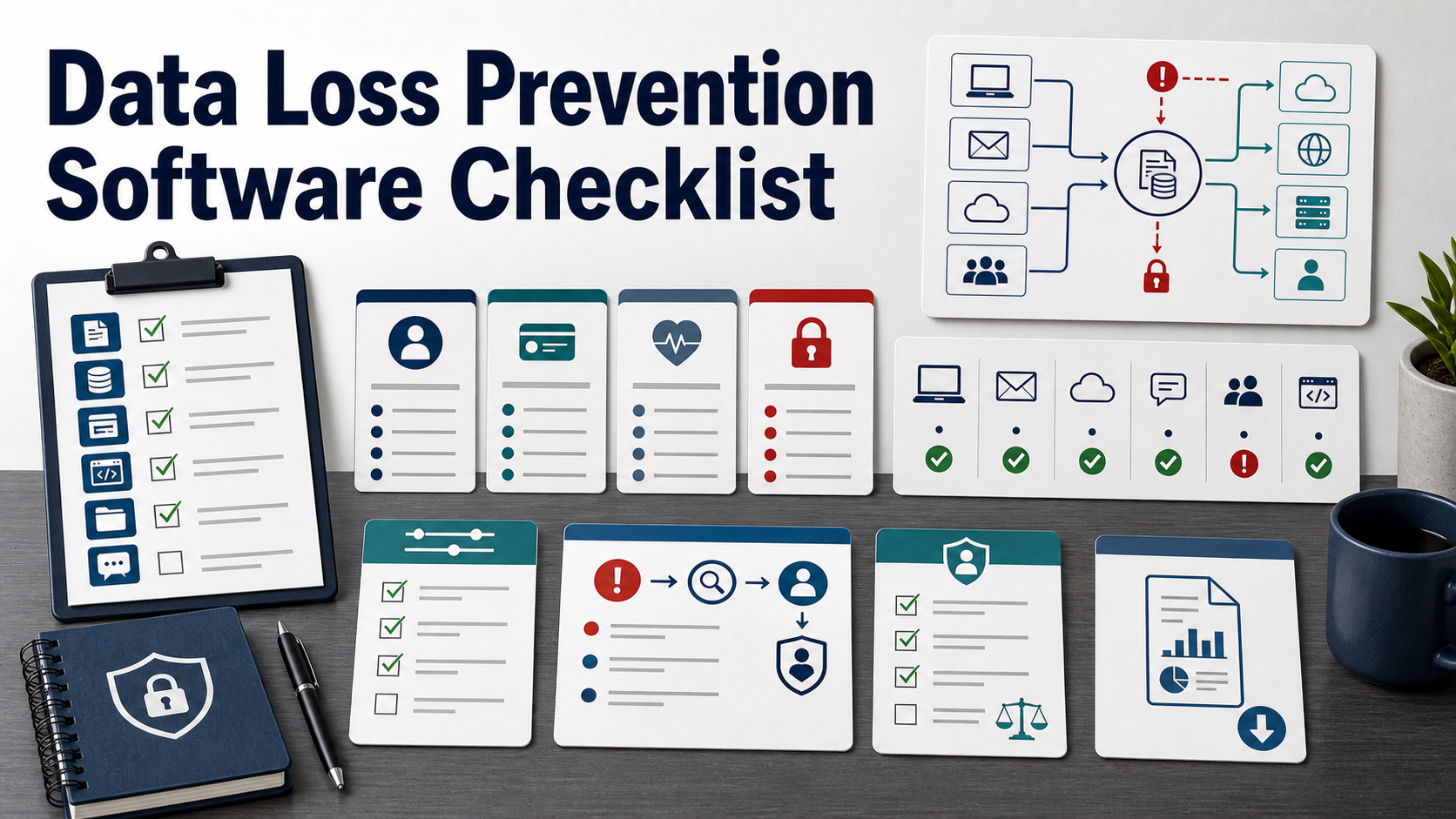
DLP software is usually considered after a data scare: a spreadsheet sent to the wrong address, source code copied to an unmanaged device, customer records stored in the wrong cloud folder, or a customer asking how sensitive data is protected.
The wrong purchase starts with blocking everything. The right purchase starts with data flow. What sensitive data exists, where does it live, who needs it, where can it move, and what should happen when a risky action occurs?
Start With The Data Flow
FTC guidance for protecting personal information tells businesses to understand how personal information moves into, through, and out of the business. That is the first DLP buying step.
List the data types that matter: personal information, customer records, health data, payment data, source code, legal files, contracts, financial reports, credentials, regulated data, product designs, or confidential customer content. Then map where that data is stored, used, shared, and exported.
Use A Clear DLP Definition
NIST’s glossary describes data loss prevention capabilities as identifying, monitoring, and protecting data in use, in motion, and at rest through content inspection and contextual analysis. That is a broad definition.
In a buying process, ask each vendor which parts they actually cover: endpoint, email, web, network, cloud storage, SaaS, database, collaboration tools, source code repositories, removable media, printers, screenshots, and AI tools.
| Buying area | Question to ask | Why it matters |
|---|---|---|
| Discovery | Can the tool find sensitive data before policies are enforced? | You cannot protect data if you do not know where it is. |
| Classification | Does it support labels, pattern matching, exact data matching, and custom data types? | Generic rules often miss context or create noise. |
| Channels | Which channels are covered: endpoint, email, web, cloud, SaaS, USB, print, and clipboard? | Data leaves through workflows, not just one network path. |
| Policy actions | Can it monitor, warn, block, encrypt, quarantine, justify, or escalate? | Not every event should be blocked immediately. |
| Incident workflow | Who reviews alerts, tunes policies, and handles exceptions? | DLP fails when alerts pile up without ownership. |
Discovery Should Come Before Blocking
Ask whether the tool can discover sensitive data in file shares, cloud drives, endpoints, databases, SaaS repositories, and collaboration spaces before enforcement. Discovery helps buyers see policy risk before employees are blocked.
NIST SP 800-122 recommends identifying PII and determining appropriate protection based on context and risk. DLP discovery should support that risk-based view rather than treating every string match the same.
Classification Needs Business Context
Pattern matching can find obvious data types, but business-sensitive information may require custom dictionaries, document fingerprints, exact data matching, labels, repository context, or user group rules.
Ask how the product handles false positives, false negatives, encrypted files, screenshots, compressed files, source code, images, and structured records. Also ask whether users can apply or correct labels.
Endpoint DLP Should Match Device Reality
Endpoint DLP may monitor copy, paste, print, screenshots, USB, local files, sync folders, browser uploads, and unmanaged destinations. Ask what works on Windows, macOS, Linux, virtual desktops, and mobile devices.
If employees work remotely, ask what happens offline and how events sync later. If contractors use unmanaged devices, ask whether the product can enforce controls or only monitor managed endpoints.
Email And Collaboration Controls Need Careful Tuning
Email DLP can warn or block messages with sensitive attachments, external recipients, or risky domains. Collaboration DLP may apply to shared drives, chat, links, workspaces, and guests.
Ask how the product handles business-approved sharing, legal holds, customer portals, external partners, and domain allowlists. A blunt policy can slow sales, support, finance, and legal teams.
Cloud And SaaS Coverage Should Be Specific
Ask which cloud storage and SaaS platforms are inspected, whether scanning is API-based or inline, and how quickly new or changed files are checked. Also ask whether permissions, external shares, public links, and guest users are part of the policy context.
If the company uses cloud security posture management or SaaS management tools, ask whether DLP incidents can connect to those systems.
Policy Actions Should Start In Monitor Mode
Many teams begin with monitoring and user warnings before blocking. Ask whether the product supports phased rollout, policy simulation, user coaching, business justification, manager review, and exception approvals.
A policy that blocks legitimate work will be bypassed. A policy that only logs risky behavior may not reduce risk. The tool should support a path between those extremes.
Incident Workflow Is The Operational Test
Ask what happens after a DLP alert. Can incidents be assigned, grouped, escalated, commented on, linked to tickets, exported to SIEM, and closed with a reason? Can reviewers see the minimum content needed without exposing more sensitive data?
Also ask how the product supports repeat behavior, manager notification, HR involvement, legal holds, insider risk review, and user education.
Privacy And Employee Trust Must Be Addressed
DLP can inspect employee actions and content. Ask what is collected, who can see it, how long it is retained, and how access is audited. Legal, HR, privacy, and employee communications teams should review the rollout.
The product should support role-based access, redaction, minimum necessary review, policy transparency, and jurisdiction-specific requirements where employees work.
Reporting Should Show Risk Reduction
Ask for reports that show data types discovered, risky channels, policy matches, user coaching, unresolved incidents, exceptions, blocked actions, and trend changes over time.
Customer questionnaires and audits may ask for DLP evidence, but the business also needs operational reports that show whether policies are becoming more accurate.
Before You Buy, Ask These Questions
- What sensitive data types are in scope?
- Where does that data live, move, and leave the business?
- Does the tool cover endpoint, email, web, cloud, SaaS, USB, print, and collaboration channels?
- Can policies start in monitor or warn mode before blocking?
- How are false positives and false negatives tuned?
- Can incidents be assigned, reviewed, escalated, and exported?
- Who can view sensitive content captured in alerts?
- How long is DLP event data retained?
- Does the tool integrate with SIEM, ticketing, identity, endpoint, and cloud tools?
- Can policies, incidents, reports, and historical events be exported if we leave?
FAQ
Does DLP stop all data leaks?
No. DLP reduces risk when policies match real data flows and teams operate the incident workflow. It does not replace access control, training, encryption, data minimization, or good process design.
Should DLP start by blocking everything?
Usually no. Start with discovery, monitoring, and targeted warnings unless a high-risk channel requires immediate blocking. Broad blocking can disrupt work and create bypass behavior.
What is the biggest DLP buying mistake?
The biggest mistake is buying channel coverage without defining sensitive data, owners, workflows, and alert review. DLP creates value only when findings lead to better policy and response.
Who should own DLP?
Security often owns the tool, but privacy, legal, HR, IT, data owners, and business teams should be involved. DLP affects employee workflows and sensitive content review.