Software Buyer Brief
HR Software Buying Checklist For Small Businesses
Short answer: a small business should buy HR software only after it has checked employee record fields, onboarding tasks, document storage, I-9 workflow boundaries, PTO rules, manager permissions, employee self-service, MFA, audit logs, reporting, payroll and benefits handoffs, data retention, migration support, cancellation terms, and full export of employee records. The demo should show real employee lifecycle work, not just a tidy directory screen.
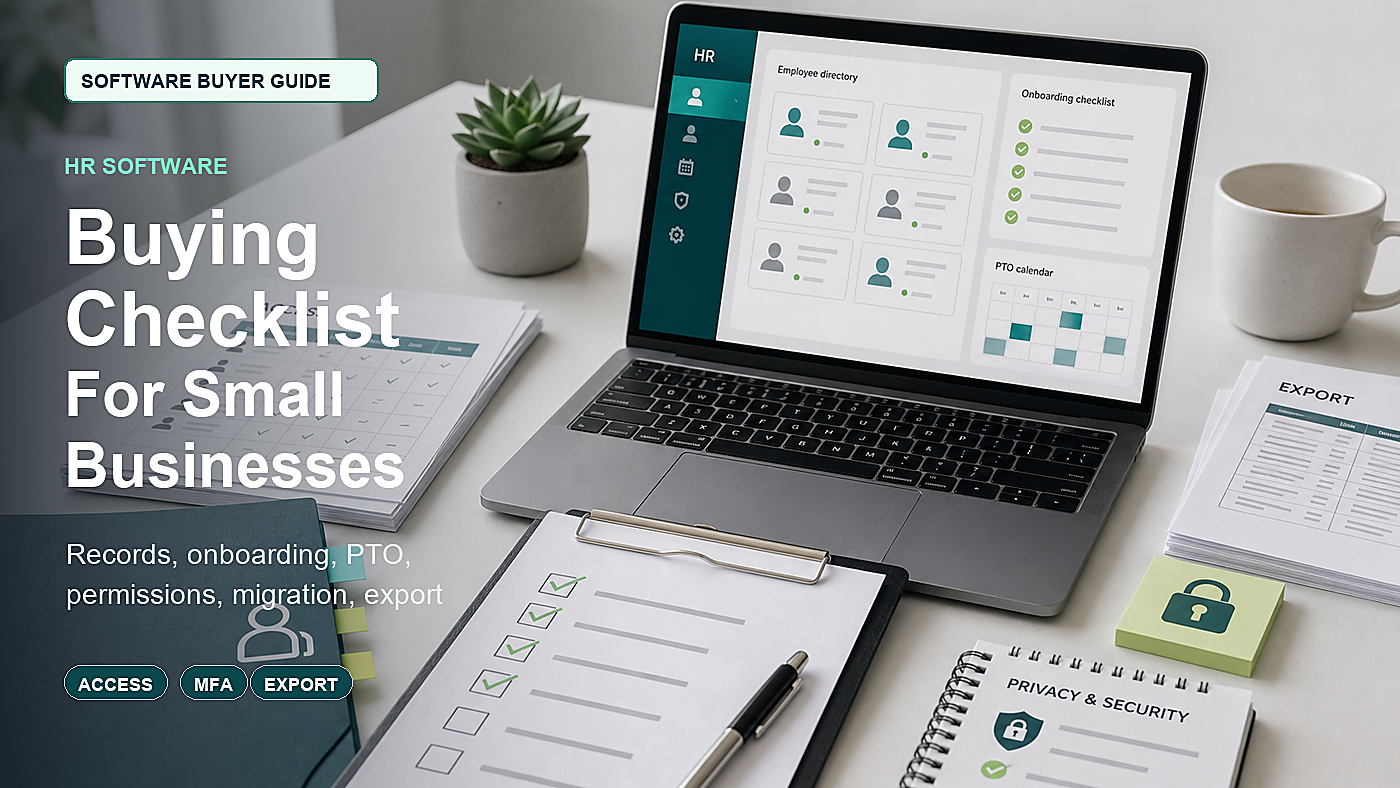
HR software can look simple in a sales demo because the sample company is clean. Every employee has a complete profile. Every policy is already loaded. Every manager has the right access. Nobody has missing documents, old spreadsheets, terminated-user access, leave balances, duplicate records, or an accountant asking for a report.
Real small-business HR is messier. A business may be moving from paper folders, spreadsheets, email attachments, payroll notes, shared drives, and manager memory. Buying the wrong HR system can replace that mess with a prettier mess that is harder to leave.
This guide is written for U.S. small businesses comparing HR platforms, HRIS tools, or lightweight people operations systems. It is not legal advice. It is a buying and demo checklist that helps the business ask better questions before employee data gets loaded into a vendor system.
Start With The Employee Lifecycle, Not The Dashboard
Before booking demos, write one employee lifecycle on paper. Use a real job type from the business.
- Candidate is offered a role.
- New hire completes required documents.
- Manager receives onboarding tasks.
- Employee gets access to policies and self-service.
- PTO or leave balance starts.
- Payroll, benefits, or accounting receives the needed data.
- Employee changes role, manager, pay group, or location.
- Employee requests documents or time off.
- Employee leaves the company.
- Records must still be retained, exported, or restricted.
The demo should follow that lifecycle. If the vendor cannot show how the system handles one messy employee from hire to exit, it is too early to talk about annual discounts.
1. Employee Records Need Real Fields And Clear Owners
An HR system starts as an employee database. That sounds basic, but the buying risk is hidden in field ownership. If nobody knows which system is the source of truth, HR data becomes inconsistent across HR software, payroll, benefits, accounting, time tracking, and spreadsheets.
Ask the vendor to show how the system stores and controls:
- Legal name
- Preferred name
- Home address
- Work location
- Job title
- Department
- Manager
- Employment type
- Start date
- Termination date
- Emergency contact
- Documents and acknowledgments
- Custom fields the business already tracks
Then ask who can edit each field. A manager may need to see a team directory, but that does not mean the manager should edit personal information, compensation notes, protected documents, or system roles.
2. Personal Information Security Belongs In The Buying Conversation
HR software holds sensitive personal information. The FTC’s guidance on protecting personal information is useful for buyers because it starts with practical questions: what information is collected, where it is stored, who can access it, how long it is kept, and how it is protected.
Ask the HR vendor:
- What personal information is stored by default?
- Which fields can be disabled or hidden?
- Which data is encrypted in transit and at rest?
- Who can view sensitive fields?
- Who can download employee files?
- How admin actions are logged?
- How employee accounts are deactivated after termination?
- How long deleted records remain recoverable?
- How the vendor handles security incidents?
A good demo does not need to turn into a full security audit, but it should prove that the vendor treats employee data as sensitive by design.
3. Onboarding Should Show Tasks, Documents, And Exceptions
Onboarding is one of the easiest HR features to oversell. A vendor can show a checklist in seconds. The useful question is whether the checklist survives real exceptions.
Ask the vendor to run a new hire through:
- Offer-to-start task list
- Employee profile creation
- Policy acknowledgments
- Required documents
- Equipment or access requests
- Manager tasks
- Payroll or benefits handoff
- Incomplete task reminders
- Remote employee workflow
- Rehire workflow
Do not let the demo stay on a perfect new hire. Ask what happens when the employee has not completed a document, the manager changes, the start date moves, or the hire is cancelled before day one.
4. I-9 Handling Needs A Narrow, Written Scope
If the platform mentions I-9 support, slow down and ask exactly what that means. USCIS I-9 Central explains that Form I-9 is used to verify employee identity and employment authorization. Some HR systems provide reminders, electronic forms, document capture, storage, or E-Verify connections. Others only give a task reminder and leave the process to the employer.
Ask:
- Does the product complete Form I-9 inside the platform?
- Does it only remind the employer to complete I-9 elsewhere?
- Can instructions be made available to the employee?
- How are document reviews recorded?
- How are remote or authorized-representative steps handled?
- Does the product support reverification or rehire steps?
- Can records be exported cleanly?
- What is excluded from the vendor’s responsibility?
The point is not to make the vendor act as legal counsel. The point is to avoid buying “I-9 support” that is only a generic upload box.
5. Record Retention Is A System Requirement, Not A Filing Cabinet Problem
HR systems must help the business keep the right records without keeping unnecessary data forever. That balance matters because employee records can include personal identifiers, wage data, medical or leave notes, disciplinary records, hiring documents, acknowledgments, and termination records.
The DOL FLSA recordkeeping fact sheet explains payroll and wage record retention obligations, while the EEOC’s summary of selected recordkeeping obligations explains personnel and employment record retention duties for covered entities. The exact rules can vary by employer type, record type, state, and situation, so the buyer should not rely on software defaults alone.
Ask the vendor:
- Can retention rules be configured by document type?
- Can sensitive documents be separated from general employee files?
- Can terminated employee access be limited without losing required records?
- Can the business export complete records before cancellation?
- Can audit logs be exported with the records?
- Can records be held if there is a claim, audit, or investigation?
- Can the system delete or archive data under a defined policy?
Retention is not just storage. It is the ability to keep, restrict, find, export, and eventually remove information under a policy the business understands.
6. PTO And Leave Rules Should Be Tested With Edge Cases
PTO looks easy until the business has accrual rules, part-time schedules, waiting periods, carryover limits, holidays, manager approval, negative balances, unpaid leave, local rules, and manual adjustments.
Ask the vendor to model:
- Hourly employee accrual
- Salaried employee accrual
- Part-time schedule
- Waiting period before accrual or use
- Carryover cap
- Holiday calendar
- Manager approval
- Employee self-service request
- Adjustment with reason code
- Termination payout report if relevant
If the tool cannot handle current PTO rules, the business will keep a shadow spreadsheet. That is usually the sign of a bad fit.
7. Employee Self-Service Should Be Helpful Without Exposing Too Much
Employee self-service can reduce admin work. Employees may update addresses, download policies, request PTO, complete onboarding, read announcements, and view their own records. That is useful only if access is controlled carefully.
Ask what employees can do without admin approval:
- Change address
- Change emergency contact
- Upload documents
- Download signed policies
- Request PTO
- View manager or team information
- View compensation or job history
- Access records after termination
Then ask what triggers notifications. Employee self-service should remove routine admin work, not create invisible data changes.
8. Permissions Must Be More Granular Than Admin And Employee
Many small teams start with two roles: admin and employee. That breaks down as soon as there are managers, bookkeepers, outside HR consultants, payroll processors, benefits brokers, or auditors.
CISA’s small-business MFA guidance and broader MFA guidance are directly relevant here. HR software should support strong account protection because the account contains employee personal information and may connect to payroll or benefits workflows.
Ask the vendor to show roles for:
- Owner or executive admin
- HR admin
- Manager
- Payroll user
- Benefits user
- Outside HR consultant
- Accountant or bookkeeper
- Employee self-service user
Then test sensitive actions. Who can export all employees? Who can see documents? Who can edit job history? Who can deactivate an employee? Who can change permissions? Who can connect integrations? Those actions should be logged.
9. Reports Should Answer Real Operator Questions
A long report menu does not mean the reporting is useful. The buyer should bring the real questions the business asks every month.
Ask the vendor to build or show reports for:
- Active headcount by department
- New hires by month
- Terminations by month
- Employees missing required documents
- Pending onboarding tasks
- PTO balances
- Upcoming anniversaries or reviews
- Role or manager changes
- Employee data export
- Audit log export
If the business needs compliance, finance, or workforce reports, ask whether those reports are standard, configurable, export-only, or available only on a higher plan.
10. Payroll And Benefits Integrations Need Error Ownership
HR software may become the front door for employee changes, but payroll and benefits systems still need accurate data. The dangerous gap is sync responsibility. If an employee changes address, job status, manager, location, or benefits eligibility, who confirms that payroll or benefits received the update correctly?
Ask:
- Which system is the source of truth for employee profile fields?
- How often does data sync?
- Which fields sync one-way?
- Which fields sync two-way?
- How sync errors are reported?
- Who resolves duplicate employees?
- How terminated employees are handled?
- Whether benefits eligibility changes are flagged?
- Whether payroll changes need separate approval?
Ask the vendor to show a failed sync. If the vendor can only show the happy path, the business has not learned enough.
11. Migration Should Include Messy Source Data
HR migration is not just importing names and emails. A useful migration plan maps source systems, field names, record owners, document folders, leave balances, manager relationships, and terminated employees.
Ask what the vendor will migrate:
- Active employee profiles
- Terminated employee records
- Documents
- Policy acknowledgments
- Job history
- Manager relationships
- PTO balances
- Custom fields
- Onboarding templates
- Audit history if available
Ask who cleans duplicates, who checks sample records, and what the business must prepare before implementation. A low implementation fee may mean the business is doing the hardest cleanup alone.
12. Pricing Should Be Based On Actual Use, Not The Lowest Plan
HR software pricing can change with employee count, administrators, document storage, onboarding, e-signature, PTO, payroll integrations, benefits modules, analytics, API access, implementation, support, and contract term.
Ask for a written quote using the real first-year scenario:
- Current employees
- Expected new hires
- Seasonal or part-time employees
- Terminated employee records
- Managers who need access
- Outside users such as accountant or HR consultant
- Document storage
- Onboarding volume
- PTO or leave features
- Payroll or benefits integrations
- Implementation support
- Renewal increase limits
- Cancellation and data export terms
Do not compare vendors only by per-employee price. Compare the plan that actually contains the controls and workflows the business needs.
HR Software Demo Map
| Demo area | What to see live | Risk if skipped |
|---|---|---|
| Employee record | Create, edit, restrict, and export a realistic employee profile. | The system becomes an incomplete directory instead of the HR source of truth. |
| Onboarding | Run a new hire with documents, manager tasks, reminders, and exceptions. | The business still manages the real process through email and spreadsheets. |
| I-9 support | Show exactly what the platform does and what remains employer-owned. | The buyer assumes compliance support that is only a reminder or upload field. |
| PTO and leave | Model the actual accrual, approval, holiday, carryover, and adjustment rules. | Leave balances are tracked in shadow spreadsheets. |
| Permissions | Show manager, HR, payroll, consultant, and employee access boundaries. | Too many users can view or change sensitive employee information. |
| Reports and export | Pull missing-document, headcount, PTO, audit-log, and full employee export reports. | The business cannot answer routine HR or audit questions quickly. |
| Migration | Review field mapping, documents, terminated records, PTO balances, and cleanup tasks. | Bad source data moves into the new system and becomes harder to fix. |
Questions To Send Before The HR Software Demo
Send the vendor a short scenario before the demo. This prevents the sales call from staying in generic slides.
- We have employees, managers, outside payroll or accounting access, and terminated records. Please show how those roles differ.
- Please show a new hire from profile creation through documents, onboarding tasks, PTO setup, and payroll or benefits handoff.
- Please show what happens when a required document is missing or a start date changes.
- Please show how sensitive documents are restricted.
- Please show how MFA, audit logs, and admin actions work.
- Please show a full employee record export, including documents and audit history if available.
- Please show the first-year quote with implementation, support, modules, integrations, renewal terms, and cancellation export terms.
Approval test: after the demo, the buyer should be able to explain where employee data lives, who can change it, which records are retained, how onboarding and PTO actually work, what syncs to payroll or benefits, and how the business leaves with its records.
When A Lightweight HR Tool Is Enough
A lightweight HR tool may be enough when the business mainly needs a clean directory, onboarding tasks, policy acknowledgments, document storage, PTO tracking, and simple reports. The buyer should still confirm export, permissions, MFA, and cancellation terms.
A heavier HRIS may be justified when the business has multiple locations, complex PTO rules, frequent hiring, benefits administration, manager workflows, compliance reporting, payroll integrations, custom approvals, or a growing admin team.
The right answer is not the biggest platform. It is the platform whose workflow matches the next twelve months of employee operations.
Red Flags During The Sales Process
- The vendor cannot show role-specific permissions.
- The demo skips terminated employee records.
- I-9 support is described vaguely.
- PTO rules require a spreadsheet workaround.
- Reports look good but cannot be exported.
- Employee document storage has weak restrictions.
- MFA is optional, unclear, or unavailable for some roles.
- Migration responsibilities are not written.
- Cancellation terms do not guarantee usable data export.
- The renewal price can change without a clear limit.
FAQ
What should small businesses check before buying HR software?
They should check employee records, onboarding tasks, document storage, I-9 workflow scope, PTO rules, employee self-service, permissions, MFA, audit logs, reports, payroll and benefits handoffs, migration support, pricing, retention, cancellation, and export.
Is HR software the same as payroll software?
No. HR software usually manages employee records, onboarding, documents, PTO, workflows, and people operations. Payroll software handles pay runs, withholding, deposits, filings, pay stubs, and payroll records. Some suites include both, but the buyer should still review each workflow separately.
Should a small business use HR software for I-9 forms?
Possibly, but only after confirming exactly what the product does. Some tools complete and store I-9 records, some connect to E-Verify, and some only provide reminders or document uploads. The contract and demo should make the scope clear.
What HR software security features matter most?
Important features include MFA, role-based permissions, sensitive document restrictions, employee self-service controls, admin audit logs, encryption, account deactivation, export controls, incident response terms, and vendor security documentation.
What is the biggest HR software migration risk?
The biggest risk is moving messy records into a new system without cleaning ownership, duplicate employees, document folders, PTO balances, manager relationships, terminated records, and custom fields. Migration should include sample checks before launch.
Sources Checked
- FTC: Protecting Personal Information, A Guide for Business
- CISA: Require Multifactor Authentication for small and medium businesses
- CISA: Multifactor Authentication
- USCIS: I-9 Central
- U.S. Department of Labor: FLSA Recordkeeping Requirements
- EEOC: Summary of Selected Recordkeeping Obligations in 29 CFR Part 1602
- NIST: Privacy Framework
Software Buyer Guide publishes practical buying checklists for small teams. We do not rank vendors by payment and we do not claim hands-on testing unless a product review says exactly how it was tested.