
SSO software should centralize sign-in for important business apps while supporting MFA policy, app coverage, user groups, provisioning, exception accounts, audit logs, recovery access, rollout planning, and support. The demo should prove coverage for your actual app list.
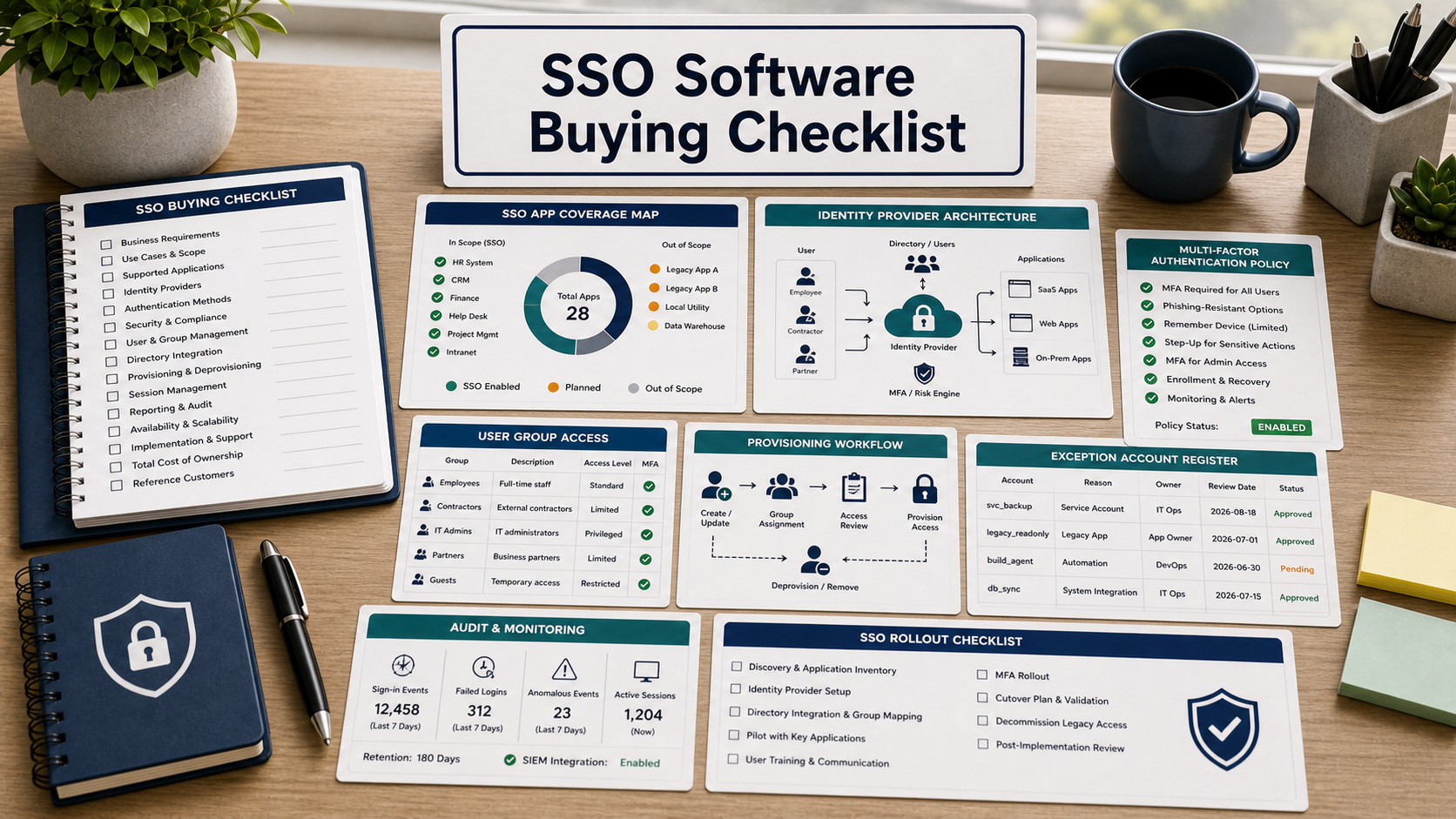
This guide is for a small team moving from scattered passwords to centralized sign-in. SSO can reduce login friction and improve control, but only if it covers the apps people actually use and leaves a safe path for exceptions.
Do not buy SSO from a feature checklist alone. Bring your app inventory, user groups, admin roles, and recovery requirements into the demo.
Start With App Coverage
List the apps that need SSO: email, file storage, CRM, finance, HR, project management, support, code repositories, security tools, and internal apps. Ask which apps are prebuilt integrations, which need SAML or OIDC setup, and which cannot support SSO.
Coverage gaps matter because users keep local passwords wherever SSO does not reach.
MFA Policy Should Be Built In
Ask how the SSO product handles MFA by group, app, device, location, risk, and admin role. CISA guidance encourages strong MFA, especially phishing-resistant options where feasible.
Confirm whether contractors, executives, administrators, and break-glass accounts can have different controls.
Provisioning And Deprovisioning Are Critical
Ask whether the product supports automated user provisioning and deprovisioning for your core apps. If the team still has to remove users manually from many systems, SSO alone may not solve offboarding risk.
Also ask how group changes are synced and how failed provisioning steps are reported.
SSO Buying Table
| Buying area | Demo question | Why it matters |
|---|---|---|
| App coverage | Which of our real apps support SSO and provisioning? | Unsupported apps keep password risk alive. |
| MFA | Can MFA policies vary by group, app, and risk? | Admins and sensitive apps need stronger controls. |
| Groups | Can access follow role, team, location, or contractor status? | Manual access rules become hard to maintain. |
| Exceptions | How are break-glass and non-SSO accounts protected? | Emergency access can become the weakest point. |
| Logs | What login, admin, policy, and provisioning logs are retained? | Security teams need evidence after incidents. |
Recovery Access Needs A Written Plan
Ask how the team restores access if SSO is down, an admin account is locked, MFA devices are lost, or a critical app integration fails. Break-glass accounts should be limited, monitored, and tested.
Rollout Should Start With A Pilot
Ask the vendor to help plan a pilot for one department or app group. The rollout plan should include user communication, support desk scripts, MFA enrollment, exception handling, and rollback.
Questions To Ask Before Buying
- Which of our real apps are supported?
- Which apps support provisioning and deprovisioning?
- Can MFA policy differ by app, group, and risk?
- How are contractors and admins handled?
- What logs are available and for how long?
- How are break-glass accounts protected?
- What happens if the SSO service or integration is down?
Technical Documentation & Reference Links
- NIST SP 800-63B: Authentication and lifecycle management
- NIST: Back to basics, multi-factor authentication
- FTC: Data security guidance for businesses
- NIST Cybersecurity Framework
FAQ
Is SSO the same as passwordless?
No. SSO centralizes authentication across apps. Passwordless changes how users authenticate. Some platforms support both, but they are not identical decisions.
Should every app move to SSO at once?
Usually no. Start with a pilot group and high-value apps, then expand with clear support and exception handling.
What is a break-glass account?
It is an emergency account used when normal access fails. It should be restricted, monitored, and tested.
Does SSO eliminate password managers?
No. Some apps may not support SSO, and teams may still need secure password storage for exceptions.
What is the biggest buying risk?
The biggest risk is buying SSO without verifying real app coverage, provisioning, recovery, and exception-account controls.
Related Buying & Pilot Checklists
- Identity access management buying checklist
- Business email security buying checklist
- Business password manager buying guide
In the SSO demo, do not ask for a generic tour. Hand over your app list and ask the vendor to mark supported, partial, and unsupported apps.
Pilot Acceptance Criteria and Order-Form Controls for SSO
Before moving a sso evaluation from technical pilot to procurement sign-off, translate your findings on Start With App Coverage and MFA Policy Should Be Built In into measurable acceptance criteria attached to the order form. Features demonstrated in a vendor sandbox should be validated against production-scale permissions, failure recovery, and admin overhead.
- Hands-on pilot validation: Test start with app coverage with representative team roles, live integration payloads, and exception queues rather than pre-scripted demo data.
- Operational and security ownership: Document which internal administrator owns mfa policy should be built in, audit log review, and vendor support escalation after launch.
- Commercial and exit protections: Verify the multi-year renewal caps, overage triggers, and full schema export steps outlined under provisioning and deprovisioning are critical before executing the agreement.
When comparing two vendor proposals across seat growth, platform fees, onboarding, and exit migration, model the full contract commitment in our multi-year software TCO calculator.