
Buy audit management software only after it proves audit planning, evidence-request workflow, control-owner mapping, workpaper review, signoff history, finding remediation, permission boundaries, and exportable logs that auditors can rely on.
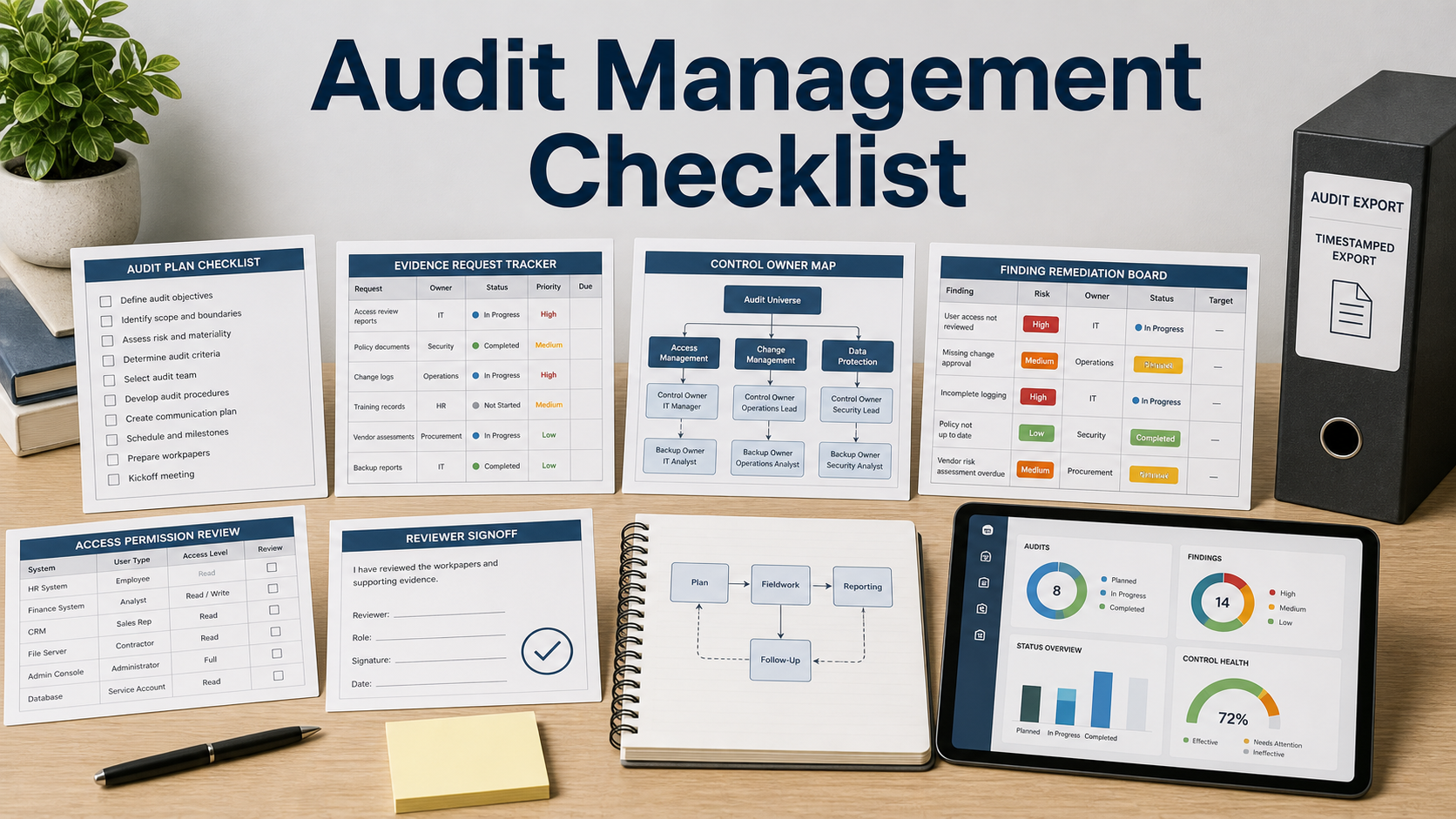
Audit management tools can reduce spreadsheet chaos, but only when the workflow matches how evidence is requested, reviewed, challenged, approved, and closed. The purchase should test a real audit cycle, not just a dashboard tour.
Do not compare vendors only by framework libraries. A useful platform should show who owns each control, where evidence came from, who reviewed it, what changed, and how findings are remediated.
Start With Audit Planning
The tool should support audit scope, objective, period, entities, controls, owners, due dates, risk notes, and reviewer assignments. Planning fields should be exportable, not buried in comments.
Ask whether templates can be adjusted without losing history. Internal audits, vendor audits, security audits, and finance audits rarely use the exact same workflow.
Inspect Evidence Request Workflow
Evidence requests should route to owners with due dates, reminders, attachments, source notes, and status. The requester should see what is pending without chasing every owner manually.
Ask how the system handles repeated evidence, stale files, rejected evidence, and evidence that must be pulled from another system.
Review Workpapers And Signoff
Workpapers should show preparer, reviewer, comments, changes, attachments, status, and signoff trail. A reviewer should be able to understand the conclusion without reconstructing it from chat messages.
Version history matters. If evidence is replaced, the tool should preserve enough context to explain what changed and why.
Track Findings To Remediation
Findings should have severity, owner, root cause, action plan, due date, evidence needed, status, and retest history. Remediation should not live in a separate spreadsheet unless the integration is clear.
Ask whether recurring findings can be linked across audit periods. Repeat issues are often more useful than isolated pass/fail counts.
Verify Permissions And Exports
The platform should separate auditors, control owners, executives, external auditors, and observers. Matter-level and audit-level access controls protect sensitive evidence.
Export quality should include audit plan, evidence, workpapers, comments, signoffs, findings, remediation, and activity logs with timestamps.
Audit Management Requirements To Test
| Buying area | What to confirm | Why it matters |
|---|---|---|
| Planning | Scope, period, controls, owners, objectives, risk notes, and reviewers | Defines what the audit is actually testing |
| Evidence | Requests, due dates, reminders, source notes, rejection, and reuse | Reduces manual chasing and stale files |
| Review | Workpapers, comments, signoffs, version history, and conclusions | Creates a defensible review trail |
| Findings | Severity, owner, root cause, action plan, retest, and repeat issue links | Connects audit work to remediation |
| Access | Role permissions, external access, activity logs, and exports | Protects evidence and supports audit closeout |
Questions To Ask Before Approval
- Can we model one real audit from scope to closeout?
- How are evidence requests assigned, reminded, and rejected?
- Can reviewers see version history and signoff trail?
- How are findings linked to remediation evidence?
- Can recurring findings be tracked across periods?
- Can external auditors have scoped access?
- What complete audit package can be exported?
Buying Red Flags
A platform that only stores files without review workflow is a document library, not audit management.
Findings without owners, due dates, and retest evidence will not drive remediation.
Weak permission controls can expose sensitive audit evidence too broadly.
Technical Documentation & Reference Links
FAQ
What does audit management software do?
It helps plan audits, request evidence, manage workpapers, track review signoff, record findings, manage remediation, and export audit records.
Is it only for internal audit teams?
No. Compliance, security, finance, privacy, and vendor-risk teams may use it when they need repeatable evidence and review workflows.
What should I test in a demo?
Use a sample audit with scope, controls, owners, evidence requests, reviewer comments, rejected evidence, a finding, remediation, and export.
Why are permissions important?
Audit evidence can include sensitive financial, security, or legal data. Role-based access helps limit who can see and change it.
What exports matter most?
Look for audit plan, evidence list, workpapers, comments, signoffs, findings, remediation status, attachments, and activity logs.
Related Buying & Pilot Checklists
- Compliance evidence automation software checklist
- Policy management software checklist
- Configuration compliance software checklist
The best audit platform does not just collect evidence; it preserves the path from request to conclusion to remediation.
Pilot Acceptance Criteria and Order-Form Controls for Audit Management
Before moving a audit management evaluation from technical pilot to procurement sign-off, translate your findings on Start With Audit Planning and Inspect Evidence Request Workflow into measurable acceptance criteria attached to the order form. Features demonstrated in a vendor sandbox should be validated against production-scale permissions, failure recovery, and admin overhead.
- Hands-on pilot validation: Test start with audit planning with representative team roles, live integration payloads, and exception queues rather than pre-scripted demo data.
- Operational and security ownership: Document which internal administrator owns inspect evidence request workflow, audit log review, and vendor support escalation after launch.
- Commercial and exit protections: Verify the multi-year renewal caps, overage triggers, and full schema export steps outlined under review workpapers and signoff before executing the agreement.
When comparing two vendor proposals across seat growth, platform fees, onboarding, and exit migration, model the full contract commitment in our multi-year software TCO calculator.