
Before buying compliance evidence automation software, verify framework mapping, control ownership, evidence source integrations, freshness checks, manual evidence review, exceptions, auditor access, audit logs, retention, export rights, and how the tool proves evidence provenance.
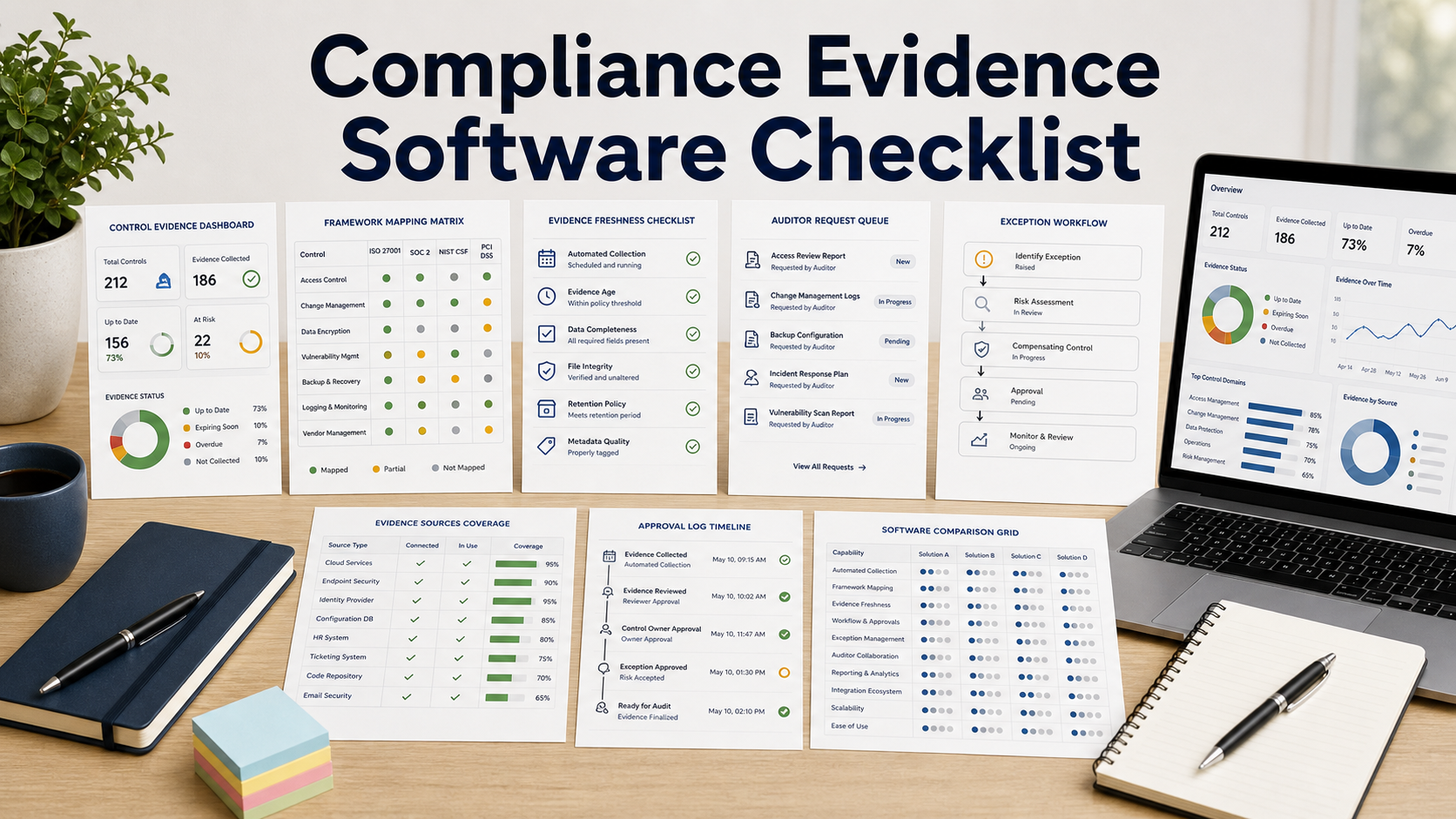
Compliance evidence automation software should reduce audit scramble without turning compliance into blind trust in integrations. The buying test is whether evidence is current, attributable, reviewable, exception-aware, and exportable for auditors and control owners.
A tool that claims continuous compliance can still fail an audit if it cannot show where evidence came from, when it was collected, who reviewed it, what changed, and how exceptions were approved or remediated.
Start With Control Mapping
Ask vendors to map your actual controls to the frameworks you support rather than using a generic demo library. NIST 800-53 and continuous monitoring guidance show how controls, assessments, and monitoring activities connect, so the platform should make those relationships explicit.
Framework mapping should support one control to many requirements, many evidence items to one control, compensating controls, inherited controls, and clear ownership. If mapping is hidden inside vendor templates, your team may not trust the output.
Verify Evidence Provenance And Freshness
Automation is only useful if you can prove where evidence came from, what API or file produced it, when it was collected, whether it changed, and whether the integration had enough permissions to retrieve the right data.
Ask how the software handles stale evidence, failed integrations, changed cloud accounts, renamed groups, terminated employees, and controls that require manual context. A green dashboard should not hide missing or outdated evidence.
Review Owner Attestation And Exceptions
Control owners should be able to review evidence, add context, reject weak evidence, approve exceptions, and track remediation. A tool that auto-attaches screenshots but never asks owners to confirm relevance may create audit noise.
Exception workflows should include risk acceptance, expiration date, compensating control, approver, remediation owner, and evidence that the exception was revisited.
Test Auditor Experience
Auditors need controlled access, request lists, evidence packages, comments, status tracking, and export without seeing unrelated sensitive systems. Ask to run a mock audit request from request to evidence delivery.
AICPA SOC resources are useful context for assurance programs, but the software still has to match your auditor's workflow. Confirm whether your auditor accepts portal access, PDF packages, CSV exports, or read-only evidence rooms.
Check Security, Integrations, And Exit Rights
Compliance evidence systems connect to identity, cloud, endpoint, ticketing, HR, code, vulnerability, and finance systems. Review least-privilege scopes, credential storage, data residency, audit logs, retention, and segregation of duties.
Before signing, confirm export rights for controls, mappings, evidence files, comments, exceptions, audit logs, integrations, and auditor request history. Compliance records must remain portable after vendor changes.
Compliance Evidence Software Buying Criteria To Confirm
| Buying area | What to confirm | Why it matters |
|---|---|---|
| Framework mapping | Controls, requirements, evidence, inherited controls, and owners mapped | Poor mapping creates unreliable audit packages. |
| Evidence provenance | Source, timestamp, collector, query, permissions, and change history visible | Auditors need to know where evidence came from. |
| Freshness | Stale evidence, failed integrations, and missing data alerts tested | Old evidence can make dashboards misleading. |
| Owner review | Approvals, comments, rejections, attestations, and reminders supported | Control owners must validate evidence relevance. |
| Exceptions | Risk acceptance, expiration, compensating controls, and remediation tracked | Exceptions need governance and follow-up. |
| Auditor access | Request queue, evidence room, comments, redaction, and export tested | The audit workflow should be controlled and efficient. |
| Integrations | Identity, cloud, endpoint, HR, ticketing, code, and vulnerability sources reviewed | Automation quality depends on trusted source systems. |
| Security and export | Permissions, audit logs, retention, residency, APIs, and bulk export confirmed | Compliance evidence can contain sensitive operational data. |
Questions To Ask Before Approval
- Can the tool map our real controls to all required frameworks without losing ownership or evidence context?
- How does it prove where evidence came from and whether the source data was current?
- What happens when integrations fail, permissions change, or evidence becomes stale?
- Can control owners reject evidence, approve exceptions, and document remediation?
- How will our auditors access, request, comment on, and export evidence?
- Can we export controls, mappings, evidence, comments, exceptions, and audit logs if we leave?
Buying Red Flags
The platform shows green controls but cannot show source query, timestamp, collector, permission scope, or owner review.
Framework mappings are vendor-maintained black boxes that your GRC team cannot inspect or adjust.
Exceptions live in notes instead of tracked workflows with expiration and remediation ownership.
Auditor access and export require manual screenshots or broad access to unrelated sensitive evidence.
Standards, Frameworks & Sources Reviewed
- NIST SP 800-137 information security continuous monitoring
- NIST SP 800-53 security and privacy controls
- AICPA SOC for service organizations resources
FAQ
What does compliance evidence automation software do?
It collects, maps, reviews, packages, and tracks evidence for controls and audits across frameworks, systems, owners, and auditor requests.
Why is evidence provenance important?
Provenance shows where evidence came from, when it was collected, what query or integration produced it, and who reviewed it, which makes audit evidence more defensible.
Can automation replace control owner review?
No. Automation can collect evidence, but owners still need to validate relevance, add context, approve exceptions, and remediate gaps.
What integrations matter most?
Common integrations include identity, cloud, endpoint, HRIS, ticketing, code repositories, vulnerability tools, asset inventory, finance, and document storage.
How should auditor access be tested?
Run a mock request, attach evidence, answer comments, restrict unrelated data, export the package, and verify the audit trail.
What export rights should buyers require?
Require export of controls, mappings, evidence, comments, exceptions, owner approvals, auditor requests, integration logs, and audit logs in usable formats.
Related Software Evaluation Briefs
- Audit Management Software Checklist Before Buying
- Data Subject Request Software Checklist Before Buying
- Business Continuity Management Software Checklist Before Buying
Compliance evidence automation is valuable only when every green control can be traced to fresh evidence, a real owner review, a governed exception path, and an exportable audit trail.