
Software Buyer Brief
Feature Flag Management Software Checklist Before Buying
Short answer: buy feature flag management software only if it supports controlled rollout, instant kill switches, role-based approvals, audit logs, environment separation, SDK governance, stale flag cleanup, experiment privacy controls, and release evidence that security and engineering can trust.
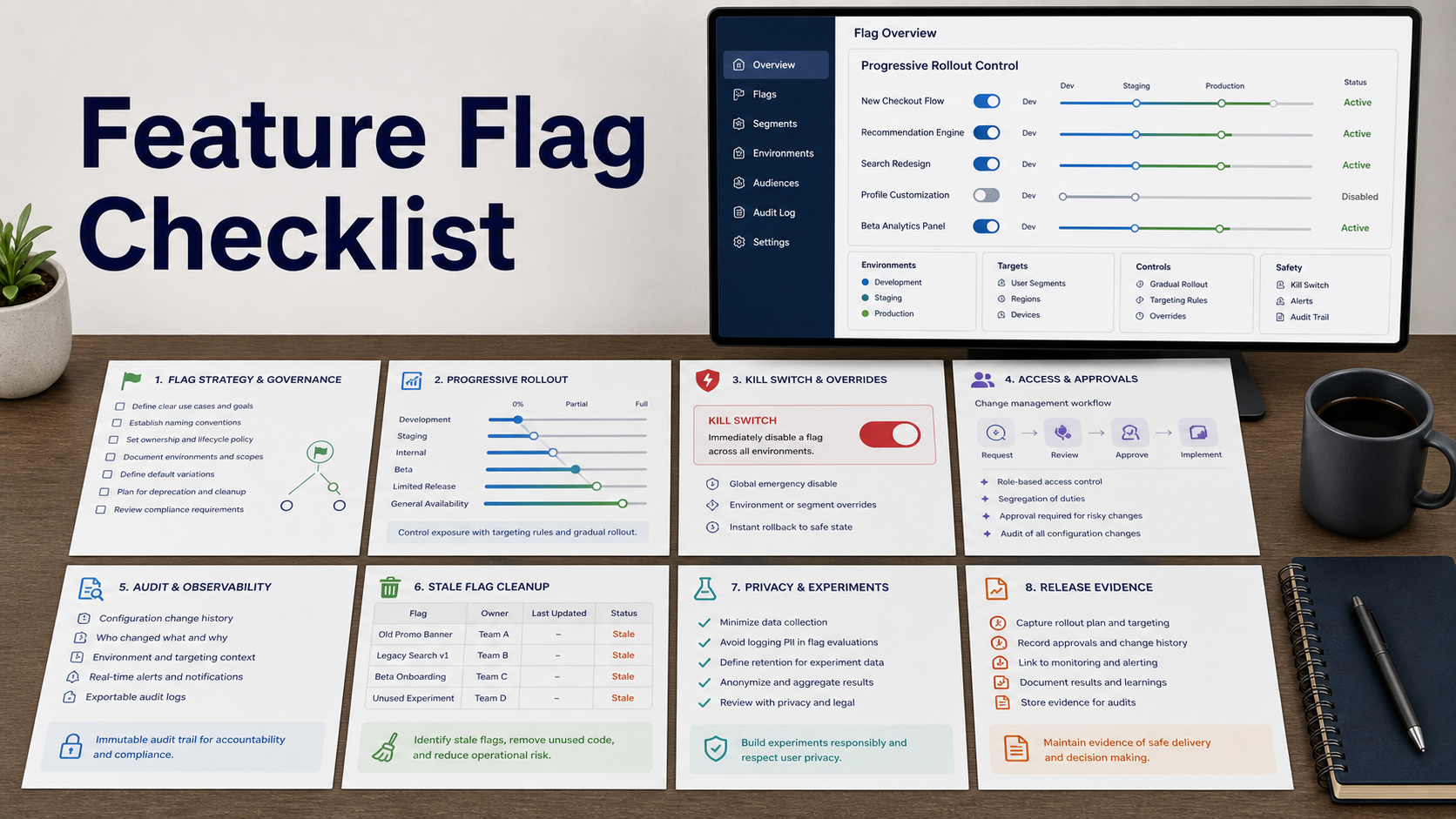
Feature flags can reduce release risk, but they also create a second change-control system inside production. A bad platform can leave risky flags, unclear ownership, weak approvals, or experiments that expose more user data than intended.
NIST SSDF and CISA Secure by Design both emphasize secure release practices and accountable software changes. NIST configuration management guidance adds the operational control lens. Buyers should therefore evaluate feature flags as production controls, not just developer convenience.
Start With Rollout Control
The product should support environment separation, targeting rules, percentage rollout, allowlists, segment controls, dependency checks, scheduling, and rapid rollback. Rollout status should be visible to engineering, product, support, and incident response teams.
Ask whether a flag change can be tied to a release, ticket, change record, or incident.
Require Kill Switch Reliability
A kill switch is only useful if it works under pressure. Ask how quickly changes propagate, what happens during SDK or network failure, how default values are handled, and whether local caching can create inconsistent behavior.
The vendor should explain fail-open, fail-closed, and default-state design choices clearly.
Review Access Control And Approvals
Feature flag platforms need role-based access, separation between read and write permissions, production approval workflows, environment-specific permissions, audit logs, and emergency override controls.
High-risk flags should not be toggled by anyone with general product access. Sensitive flags may affect authentication, payment, privacy, pricing, or customer eligibility.
Plan For Stale Flag Cleanup
Long-lived flags can create technical debt, hidden behavior, and confusing support issues. The platform should track owners, creation date, last evaluation, rollout state, expiration, cleanup ticket, and code reference where possible.
Ask whether the tool can detect unused flags and whether it integrates with code search or repository workflows.
Feature Flag Review Table
| Requirement | Demo question | Buying signal |
|---|---|---|
| Rollout | Can it target, phase, pause, and roll back releases safely? | Release risk can be controlled in production. |
| Kill switch | Can emergency toggles work reliably during partial outages? | Response does not depend on redeploys. |
| Governance | Can production changes require approvals and preserve audit logs? | Runtime changes are controlled. |
| Privacy | Can experiments avoid unnecessary sensitive user attributes? | Targeting does not expand data exposure. |
| Cleanup | Can stale flags be detected, assigned, and removed? | Flags do not become permanent technical debt. |
Questions To Ask Before Buying
- Which SDKs, languages, mobile platforms, server environments, and edge runtimes are supported?
- How quickly do flag changes propagate?
- What happens when the SDK cannot reach the flag service?
- Can production flag changes require approval?
- Can flags be linked to tickets, releases, incidents, or change records?
- Can sensitive user attributes be minimized or hashed for targeting?
- Can support teams see flag state without changing it?
- Can stale flags be detected in code and assigned for cleanup?
- Can audit logs be exported for security and compliance review?
Red Flags In A Feature Flag Demo
- Anyone with product access can change production flags.
- Default behavior during outages is unclear.
- Audit logs show toggles but not approvals or reasons.
- Experiment targeting encourages broad sensitive attribute collection.
- Stale flag cleanup is manual and optional.
- SDK governance, versioning, and mobile offline behavior are not discussed.
Demo move: ask the vendor to roll out a risky feature, pause it, kill it during a simulated incident, show the approval log, then create a cleanup ticket for the stale flag.
Source Links
- NIST SP 800-218: Secure Software Development Framework
- CISA: Secure by Design
- NIST SP 800-128: Security-Focused Configuration Management
- OWASP Application Security Verification Standard
- NIST Cybersecurity Framework 2.0
FAQ
Are feature flags a security control?
They can be part of release and incident control, but only if access, approvals, audit logs, defaults, and cleanup are governed.
Why does stale flag cleanup matter?
Old flags can hide behavior, complicate testing, create dead code, and confuse incident response.
Should product managers change production flags?
Possibly, but high-risk flags should have role limits, approvals, and clear ownership. Read-only support visibility is also useful.
What is a kill switch?
A kill switch is a fast way to disable risky behavior without redeploying, but it must be tested and have predictable default behavior.
How should feature flags handle privacy?
Targeting should use the minimum necessary attributes, protect sensitive values, and keep experiment data tied to approved purposes.