
Software Buyer Brief
Phishing Simulation Software Checklist Before Buying
Short answer: Choose phishing simulation software only after it proves safe campaign targeting, a reliable report-button workflow, immediate coaching, privacy-aware metrics, incident-routing integration, executive reporting, and exportable evidence.
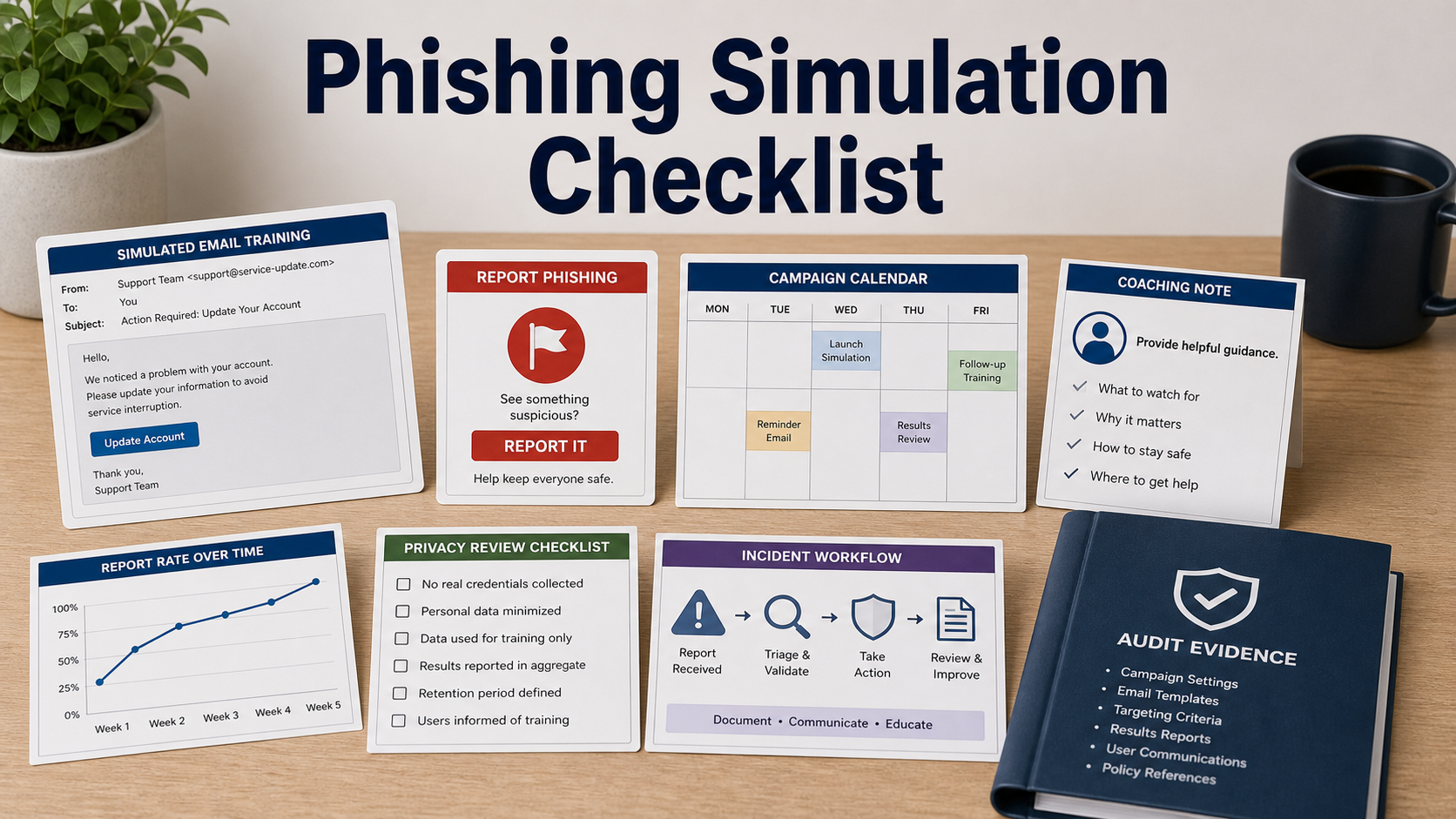
A phishing simulation tool can help employees practice detection and reporting, but a poorly designed program can train fear, shame, or box-checking instead. The buying test should focus on behavior change and safe evidence, not only click-rate reduction.
Do not buy a platform because its templates look realistic. Ask whether the tool measures reporting, supports coaching, protects sensitive employee metrics, and connects suspicious reports to the real response process.
Define The Program Goal
Start by deciding whether the program is meant to improve reporting, test risky workflows, train new hires, meet compliance obligations, or support incident response. Each goal needs different campaign design and reporting.
A vendor should help avoid sensational themes that create unnecessary anxiety or target employees unfairly. The best simulations teach the next safe action.
Test The Report Button Workflow
The report button should work in the email clients your company actually uses. Ask what metadata is captured, where reported messages go, and whether security teams can triage real reports alongside simulation reports.
Reporting speed and accuracy often matter more than click count. Ask for reports that show who reported, how fast they reported, and whether the simulation turned into coaching.
Inspect Coaching And Follow-Up
Immediate feedback should explain the clue the employee missed and what they should do next time. It should be short, respectful, and tied to the simulated email.
For repeated risky behavior, ask whether follow-up can be assigned privately through training or manager workflow without exposing unnecessary personal details.
Review Privacy And Metric Controls
Simulation data can become sensitive. Ask who can see individual results, how long records are retained, whether reports can be aggregated, and how the company avoids public shaming.
Executive reporting should focus on trends, reporting rate, repeat themes, and response improvements rather than a leaderboard of mistakes.
Connect Simulations To Incident Response
A useful tool can route suspicious reports, attach headers or samples where appropriate, and send high-confidence items to security workflows. Confirm the difference between simulated and real reports.
Ask for exportable campaign evidence: target group, template, send date, report rate, coaching completion, privacy settings, and admin actions.
Phishing Simulation Checks To Run Before Purchase
| Quote area | What to confirm | Why it matters |
|---|---|---|
| Campaign design | Audience, theme, difficulty, timing, and approval process | Keeps training fair and purposeful |
| Reporting | Report button support, captured metadata, triage route, and response workflow | Practices the behavior that reduces risk |
| Coaching | Immediate feedback, short lesson, retake option, and follow-up rules | Turns mistakes into learning |
| Privacy | Access to individual data, retention, aggregation, and manager visibility | Prevents a training tool from becoming an employee trust problem |
| Evidence | Campaign export, report rate, coaching status, admin actions, and timestamps | Supports compliance and program review |
Questions To Ask Before Approval
- What behavior are we trying to improve with simulations?
- Does the report button work in every email client we use?
- Can real and simulated reports route to the right workflow?
- Who can see individual employee results?
- How is coaching delivered after a click or report?
- Can reports emphasize reporting rate instead of shame metrics?
- What evidence exports are available for audits or leadership review?
Red Flags In This Quote
A platform that celebrates click-rate punishment more than reporting behavior can damage employee trust.
A report button that does not feed the real response workflow creates training data but little operational value.
Individual rankings without privacy controls can turn awareness into blame instead of safer behavior.
Source Links
- CISA Secure Our World phishing guidance
- FTC small business cybersecurity guidance
- NIST Phish Scale publication
FAQ
What should phishing simulation software measure?
Measure reporting behavior, time to report, coaching completion, repeated themes, campaign coverage, and response workflow quality. Click rate alone is too narrow.
Should managers see individual results?
That depends on policy, culture, and privacy expectations. The software should support restricted access, aggregation, and clear retention controls.
Is realistic phishing always better?
No. Realism should support learning without creating unnecessary fear, embarrassment, or unfair targeting. The program should have review and approval rules.
How does a report button help?
It gives employees a simple action and gives security teams a consistent way to receive suspicious messages, including real threats outside simulations.
What evidence should I export?
Export campaign details, target group, template, send time, report rate, click rate if used, coaching status, privacy settings, admin actions, and timestamps.
Internal Link Candidates
- Security awareness training software checklist
- Incident response software checklist
- Security metrics dashboard software checklist
A good phishing simulation program rewards the safe action employees should repeat when the message is real: report, learn, and move on.