
Short answer: incident response software is worth buying only if it can turn alerts into accountable work: intake, triage, severity decisions, evidence timelines, owner assignment, containment tasks, communications records, legal or customer reporting notes, and post-incident improvements. The tool should support the response process; it cannot replace the process.
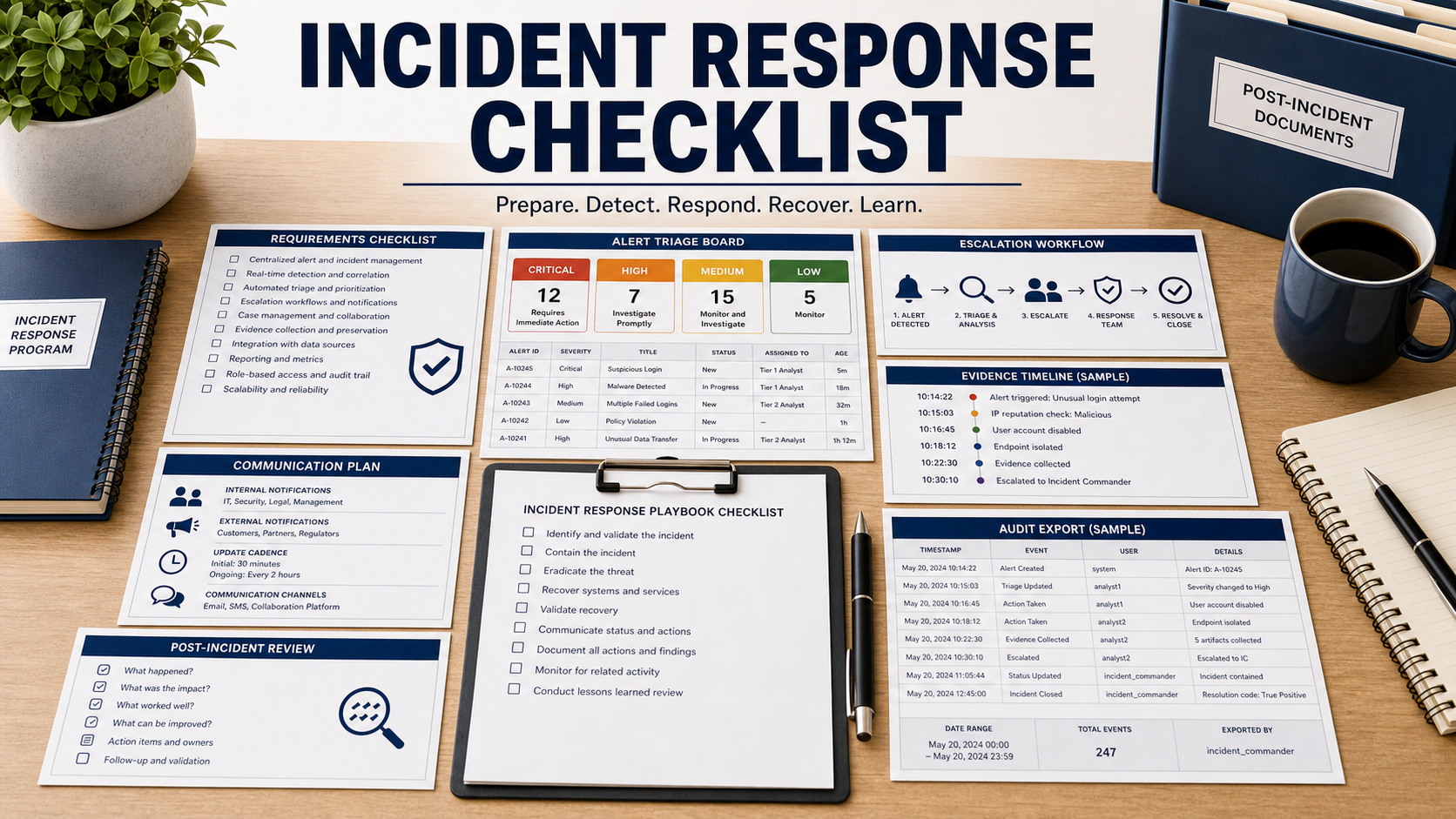
NIST SP 800-61 Rev. 3 frames incident response around preparation, detection and analysis, containment, eradication and recovery, and post-incident activity. A buying demo should follow that lifecycle with a realistic incident, not a polished dashboard of closed sample tickets.
For a small security team, the most valuable question is whether the software reduces confusion. Who owns the incident? What was decided? What evidence supports the decision? Who was notified? What changed afterward? If the product cannot answer those questions, it is a case tracker, not an incident response system.
Run A Realistic Incident Through The Demo
Bring a scenario such as suspicious identity activity, ransomware alert, exposed customer data, or compromised cloud key. Ask the vendor to ingest the alert, assign severity, identify impacted assets, attach evidence, route tasks, and document decisions.
The demo should include mistakes and uncertainty. Incident response tools should preserve investigation notes, competing hypotheses, false positives, and escalation decisions without losing the timeline.
Make Evidence Handling Specific
Ask how the product handles logs, screenshots, files, detection alerts, endpoint data, cloud events, user reports, and analyst notes. The timeline should show when evidence was collected, who added it, whether it was modified, and which decision it supported.
If the organization may need legal, insurance, customer, or regulator reporting, ask how exports are controlled. FTC breach response guidance reminds businesses to plan communications and evidence carefully after data incidents.
Separate Playbooks From Automation
Playbooks are useful when they guide people through decisions. Automation is useful when the team knows the action is safe. Ask which containment actions require approval, which run automatically, and how rollback is handled.
The product should show a containment task list for identity lockout, endpoint isolation, password reset, firewall change, backup preservation, log retention, and customer communication review. A generic playbook library is not enough.
Plan Communications Before The Incident
Incident response includes more than technical containment. Ask how the tool records internal status updates, executive briefings, legal review, customer notices, vendor notifications, and post-incident tasks. Communications should be role-based and time-stamped.
Do not let chat threads become the only incident record. The system should capture decisions and approvals in a durable case file.
Incident Response Software Review Table
| Requirement | What to ask in the demo | Why it matters |
|---|---|---|
| Intake | Ingest alerts, user reports, vendor notices, and manual cases. | Incidents do not always start from one security tool. |
| Triage | Record severity, scope, owner, decision reason, and escalation. | Teams need accountable decisions under uncertainty. |
| Evidence | Attach logs, files, screenshots, notes, and immutable timeline entries. | Response quality depends on evidence integrity. |
| Containment | Show approval gates for isolation, account lockout, and blocking tasks. | Automation can cause harm if approvals are unclear. |
| After action | Create lessons, control gaps, owners, due dates, and reports. | Incidents should improve the program, not only close a ticket. |
Questions To Ask Before Buying
- Can the tool run one realistic incident from alert to post-incident review?
- How does it preserve evidence history and analyst decisions?
- Can playbook tasks be assigned to security, IT, legal, communications, and vendors?
- Which automated containment actions require approval?
- Can the tool export a clean incident timeline for leadership, legal, or insurance?
- How are customer or regulator communication tasks tracked?
- Can lessons learned create follow-up tasks with owners and due dates?
Red Flags In This Purchase
The demo closes a sample incident without showing evidence, decisions, or communications.
Playbooks are marketed as automation, but approval gates and rollback are unclear.
The product cannot export a complete timeline without manual copy-paste work.
Source Links
- NIST SP 800-61 Rev. 3: Incident Response Recommendations And Considerations
- CISA: Cybersecurity Incident And Vulnerability Response Playbooks
- FTC: Data Breach Response Guide For Business
- NIST Cybersecurity Framework
FAQ
Is incident response software the same as a ticketing tool?
No. Ticketing can assign work, but incident response software should also preserve evidence, decisions, timelines, escalation, communications, and post-incident lessons.
Should the tool automate containment?
Only where the team understands the risk. High-impact actions should have approval gates, rollback plans, and audit evidence.
What evidence should be stored in the case?
Relevant alerts, logs, files, screenshots, analyst notes, decisions, approvals, communications, and timestamps should be captured.
Who needs access to incident response software?
Security, IT, legal, communications, leadership, and vendors may need different views or tasks depending on the incident type.
What should happen after the incident closes?
The tool should produce lessons learned, control gaps, owners, due dates, and evidence that improvements were completed.
Related Software Buyer Guide Guides
The best incident response software does not promise calm; it makes the messy response traceable, assignable, and reviewable.