
Buy data classification software only if it can find sensitive data in the systems you actually use, apply a label taxonomy that people understand, measure false positives and false negatives, route ownership decisions, connect labels to access review, retention, DLP, and deletion workflows, and export evidence for security, privacy, or customer reviews.
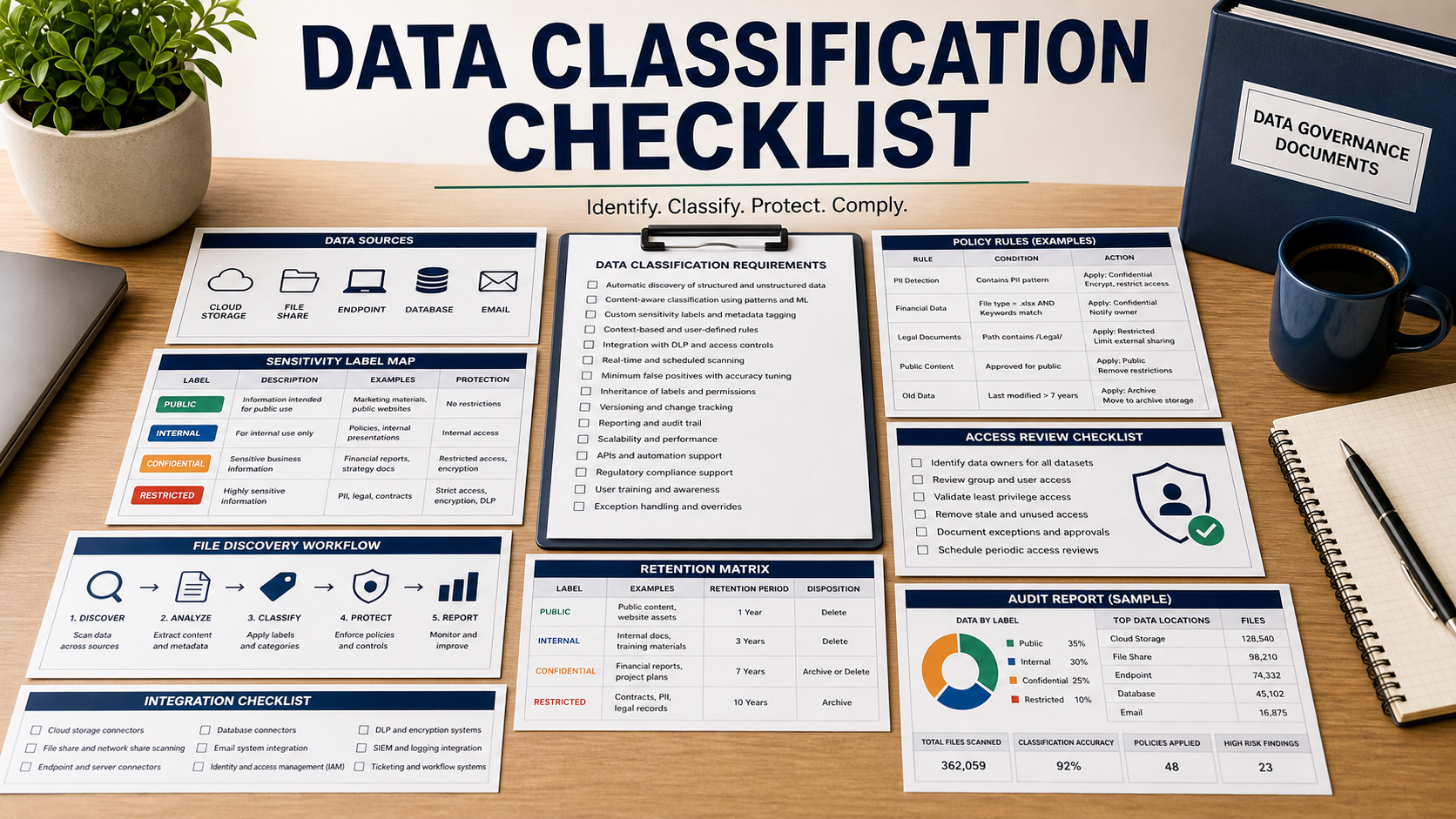
Data classification is useful only when it changes what the organization does with the data. A label that sits on a dashboard but does not affect access, retention, sharing, encryption, DLP, or review workflow is decoration. The buying process should start with decisions the labels must drive.
NIST Privacy Framework and Cybersecurity Framework both point toward knowing data, managing risk, and protecting information according to business and privacy needs. NIST SP 800-171 Rev. 3 also gives buyers a concrete reminder that controlled information needs defined protection requirements. Use those ideas to test whether a tool supports governance, not just discovery.
Define The Classification Taxonomy First
Before the demo, write the labels you can actually operate: public, internal, confidential, regulated, customer data, employee data, trade secret, or controlled information. Then ask the vendor to show how each label is assigned, changed, inherited, overridden, and reviewed.
Too many labels cause user fatigue. Too few labels fail to support policy. The tool should help the team test the taxonomy on sample repositories before enforcing it broadly.
Test Discovery Coverage Against Real Repositories
Ask which systems are scanned natively: file shares, cloud storage, email, collaboration tools, databases, SaaS repositories, endpoints, code repositories, backups, and archives. Then ask which connectors are read-only, which need elevated permissions, and which create extra cost.
Coverage should include stale and orphaned data. Sensitive data in forgotten folders, old exports, and departed-employee locations may matter more than well-governed production systems.
Measure Accuracy Before Automation
Classification tools can over-label harmless files and miss risky ones. Ask for a pilot that measures false positives, false negatives, sampling method, reviewer workflow, and how rules improve over time. Do not turn on blocking policies until the team understands accuracy.
The tool should show why a label was applied: pattern match, exact data match, keyword, metadata, location, owner, trained model, or manual decision. Without explanation, users cannot correct errors with confidence.
Connect Labels To Controls
Ask what happens after a file is classified. Can the label trigger DLP policies, encryption, access review, retention, deletion workflow, sharing restrictions, legal hold, or data subject request support? If not, the classification project may stop at reporting.
Ownership is just as important. Each sensitive location should map to a business owner who can approve remediation, access changes, or retention decisions. Security alone usually cannot clean up the data map.
Data Classification Software Review Table
| Requirement | What to ask in the demo | Why it matters |
|---|---|---|
| Taxonomy | Show label creation, override, review, and user guidance. | Labels must be understandable and enforceable. |
| Coverage | Scan real repositories and identify unsupported systems. | Unknown sensitive data creates hidden risk. |
| Accuracy | Measure false positives, false negatives, and explanation fields. | Bad labels break trust and automation. |
| Workflow | Route review to data owners with decisions and due dates. | Classification needs business ownership. |
| Control integration | Trigger DLP, access review, retention, deletion, and reports. | Classification should drive action, not only dashboards. |
Questions To Ask Before Buying
- Which repositories and file types are not covered in the base license?
- Can the tool explain why a file received a specific label?
- How are manual overrides, disputes, and relabeling history audited?
- Can data owners approve classification changes without full admin rights?
- Which controls can consume the labels: DLP, access review, encryption, retention, or deletion?
- How does the pilot measure false positives and false negatives?
- Can the tool export evidence for customer security questionnaires or privacy reviews?
Red Flags In This Purchase
The vendor shows a polished dashboard but cannot explain why individual files were labeled.
Labels cannot trigger any downstream control, owner review, or retention decision.
The demo uses sample data only and does not measure accuracy in your real repositories.
Primary Security & Architecture References
- NIST Privacy Framework
- NIST Cybersecurity Framework
- NIST SP 800-171 Rev. 3: Protecting Controlled Unclassified Information
- FTC: Data Security
- FTC: Protecting Personal Information
FAQ
Is data classification the same as data discovery?
No. Discovery finds data. Classification assigns meaning and policy context so the organization can decide how to protect, retain, share, or delete it.
Should classification be automated immediately?
No. Run a pilot first, review accuracy, tune rules, and decide which labels can safely trigger automated controls.
Who should own classification decisions?
Security can operate the tool, but business or data owners should approve sensitive data decisions, exceptions, and remediation priorities.
What integrations matter most?
DLP, access governance, identity, storage platforms, collaboration tools, retention systems, ticketing, and audit reporting are common integration points.
What evidence should buyers request?
Ask for coverage reports, classification explanations, accuracy sampling, owner review history, label-change audit logs, and exports suitable for customer or privacy reviews.
Related Vendor Comparison Guides
- Data Loss Prevention Software Checklist
- Privacy Management Software Checklist
- Identity Governance Software Checklist
Classification software earns its budget when labels trigger decisions: who owns the data, who can access it, how long it stays, and what controls protect it.