
Short answer: roll out secrets management software only if it centralizes storage, removes hardcoded secrets, enforces least privilege, rotates keys safely, injects secrets into CI/CD without logging them, records access, supports break-glass controls, and gives developers a path that is easier than copying credentials into code.
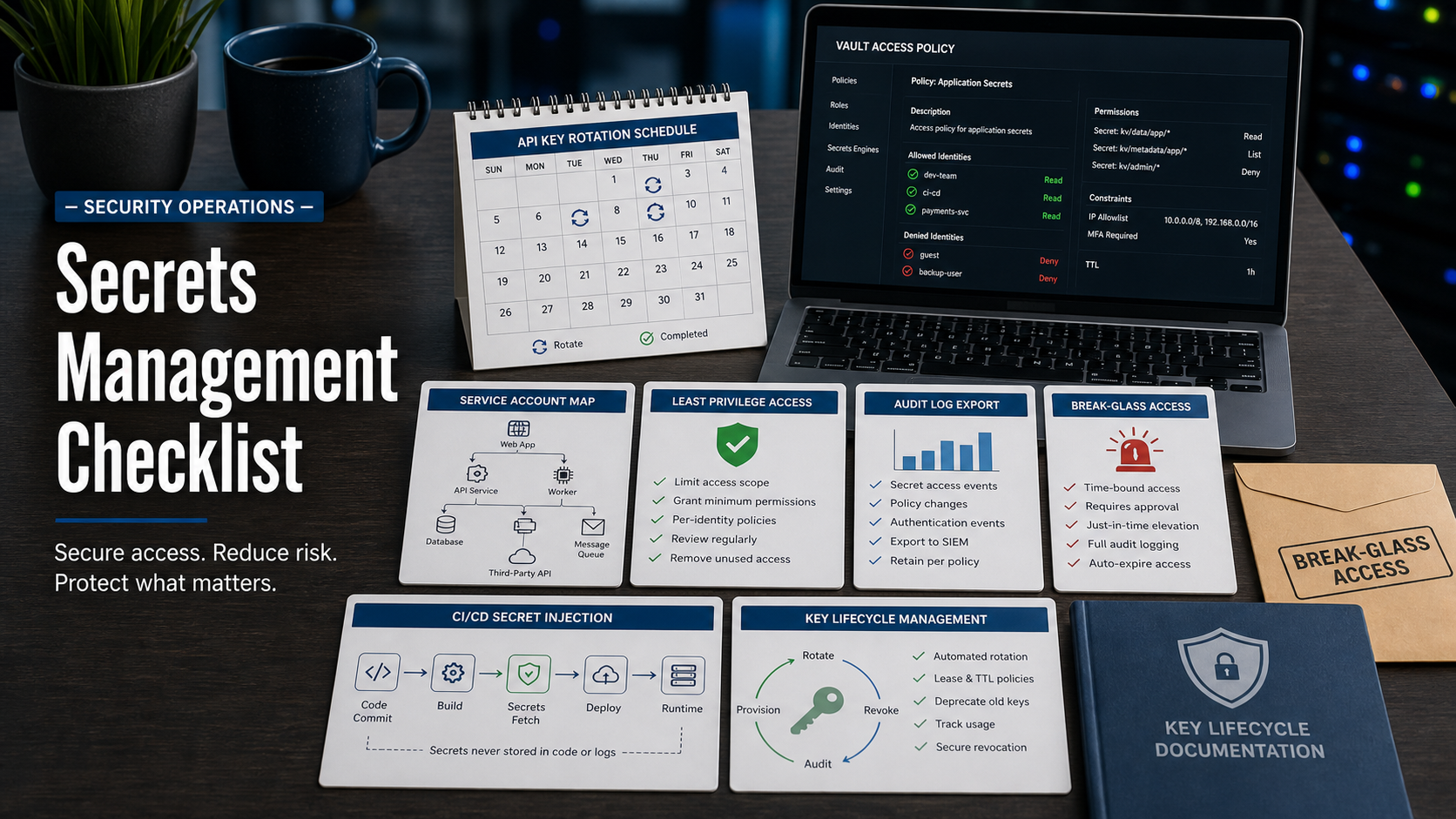
NIST SP 800-57 provides key management guidance, including lifecycle concepts around generation, use, protection, rotation, compromise, and destruction. NIST has also published a Revision 6 initial public draft, so buyers should ask vendors how their roadmap handles evolving key-management expectations while still supporting current operational controls.
CISA Secure by Design guidance is another useful buying lens: software should reduce unsafe defaults and customer burden. A secrets platform fails that test if developers bypass it because the workflow is slow, confusing, or poorly integrated.
Start With Secret Types And Ownership
List what the product must protect: API keys, database passwords, OAuth client secrets, SSH keys, TLS private keys, signing keys, cloud credentials, service account tokens, webhook secrets, and one-time bootstrap credentials.
Then map owners. A useful rollout connects each secret to an application, environment, business owner, technical owner, rotation policy, and break-glass path.
Remove Hardcoded Secrets
The demo should show how secrets move from code, config files, ticket comments, local scripts, and CI variables into a managed vault. Ask whether the product integrates with secret scanning tools and whether it can quarantine or revoke exposed credentials.
If the only answer is “developers should stop doing that,” the platform is not solving the behavior problem.
Evaluate Access Policy And Least Privilege
Access rules should support application identity, human identity, group membership, environment boundaries, IP or network constraints, approval workflows, expiration, and separation between read, write, rotate, and administer permissions.
Ask the vendor to show a payment service that can read only its production database secret, while a developer can request temporary access with approval and audit logging.
Check Rotation Without Breaking Production
Rotation is where secrets tools often look better in slides than in production. Ask how the tool handles dual credentials, application reloads, database users, cloud keys, service dependencies, failed rotations, and rollback.
The safest workflow proves that the new secret works before retiring the old one, and that failed rotation does not silently take down the application.
Make CI/CD And Runtime Delivery Safe
Secrets should be delivered to build, deploy, and runtime environments without being printed into logs, stored in artifacts, or copied into permanent variables. Ask how secrets are masked, scoped, fetched, cached, and expired.
For containers and serverless workloads, confirm whether identities are short-lived and environment-specific.
Secrets Management Software Review Table
| Requirement | Demo question | Buying signal |
|---|---|---|
| Coverage | Which secret types and platforms are supported? | One vault can cover real workloads. |
| Policy | Can access be scoped by app, environment, role, and time? | Least privilege is enforceable. |
| Rotation | Can keys rotate without downtime? | Security improves without breaking apps. |
| Delivery | How are secrets injected into CI/CD and runtime? | Secrets avoid logs and artifacts. |
| Evidence | Can access, changes, approvals, and failures be exported? | Auditors can trace secret use. |
Questions To Ask Before Rollout
- Which systems can authenticate to the vault without static credentials?
- Can each secret have an owner, environment, purpose, and rotation policy?
- How does the tool find and respond to exposed secrets?
- Can rotation be tested before production cutover?
- How are secrets masked in logs, pipelines, and artifacts?
- What happens when the vault is unavailable?
- How does break-glass access work, who approves it, and when does it expire?
- Can audit logs stream to SIEM or compliance systems?
Red Flags In A Secrets Tool Demo
- The product stores secrets but cannot rotate them.
- Developers must copy secrets manually from the console.
- Break-glass access has no approval, timeout, or audit trail.
- CI/CD examples expose secrets as plain environment variables without controls.
- Rotation failure behavior is vague.
- Audit logs do not show who read, changed, or rotated a secret.
Demo move: ask the vendor to rotate a database credential for a sample app, prove the app kept working, show the audit record, and then revoke a leaked API key.
Source Links
- NIST SP 800-57 Part 1 Rev. 5: Recommendation for Key Management
- NIST SP 800-57 Part 1 Rev. 6 Initial Public Draft
- NIST SP 800-63B: Authentication and Lifecycle Management
- CISA: Secure by Design
- OWASP: Secrets Management Cheat Sheet
FAQ
Is secrets management the same as password management?
No. Password managers usually focus on human credentials. Secrets management covers application, service, pipeline, and machine credentials as well.
Should every secret rotate automatically?
Not always. The tool should support rotation policies, but some systems need staged rotation, approval, or compatibility work before automation is safe.
What is break-glass access?
It is emergency access used when normal access paths fail. It should be time-limited, approved, logged, and reviewed after use.
Should developers be able to read production secrets?
Usually not by default. Prefer workload identity and temporary approved access when human access is truly necessary.
What is the rollout priority?
Start with production database credentials, cloud keys, CI/CD tokens, signing keys, and any secrets already found in code or logs.