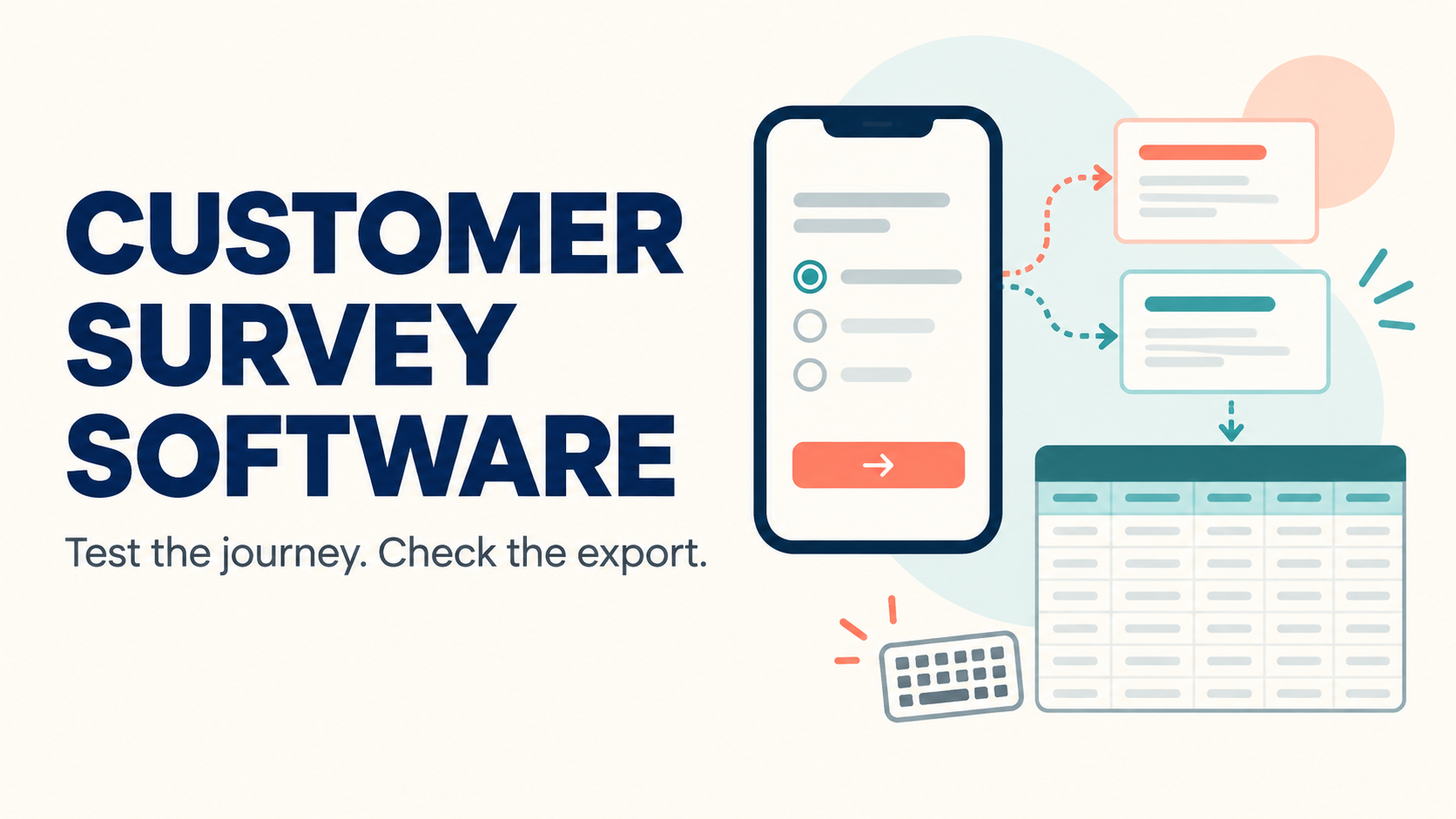
Choose customer survey software by testing the respondent journey and the exported data together. Attractive question layouts do not prove that branching works, responses are handled as promised, or the results can leave the platform in a usable form. A small known-answer pilot gives a buying team more useful evidence than a long feature checklist.
This guide proposes an evaluation for a small customer or operations team. It does not rank vendors or claim hands-on results. Use synthetic respondents and answers until the organization has approved the real collection purpose, notice, and access arrangements.
Define the decision the survey must support
Write one decision the team expects to make from the results. Then identify the questions required to support it and the analysis each answer needs. This keeps the pilot from accumulating features that look impressive but do not change the purchase decision.
For a hypothetical support survey, the team might want to distinguish unresolved requests from resolved requests that still involved too much effort. Those are different outcomes. Build a short branching flow that tests both, rather than relying only on a general satisfaction score.
Create a respondent-path map
Draw the paths for a completed interaction, an unresolved interaction, an inapplicable question, and an early exit. Give each synthetic respondent an expected path and answer set. The map becomes an answer sheet for both the on-screen experience and the export.
Include someone who changes an earlier answer
A useful pilot respondent goes back and changes the answer that controls a branch. Check what happens to answers from the previously visible branch. Are they cleared, retained, or exported with a flag? The correct policy depends on the survey, but the analysis owner needs to know which behavior occurred.
Use the survey with a keyboard and on a small screen
W3C’s form guidance discusses labels, instructions, validation, and feedback that help people complete forms. Translate those principles into an actual respondent test. Navigate using a keyboard, inspect focus order, and check whether required-field errors explain what needs correction.
Test the question types you plan to use, not just the vendor’s simplest sample. A matrix that fits a desktop screen may be awkward on a phone. Ask a tester to complete the full branch, correct an error, and submit without assistance. Record the specific interaction that failed instead of assigning a vague accessibility score.
| Pilot case | Inspect in the survey | Inspect in the export |
|---|---|---|
| Normal completion | Expected questions and confirmation | One completed response |
| Changed branch | Old questions disappear correctly | Previously entered answers handled as agreed |
| Partial response | Save or exit behavior | Clear completion status |
| Keyboard-only use | Focus, labels, and errors | Answers match the test sheet |
| Non-English text | Readable labels and input | Characters preserved without corruption |
Verify what anonymous means in this configuration
SurveyMonkey’s documentation explains an anonymous-response setting and the kinds of respondent information affected by it. Use the exact collector configuration as the unit of review. A product’s general claim about anonymity should not replace inspection of the settings and metadata attached to your actual survey.
Ask whether invitation identifiers, custom variables, embedded data, timestamps, or free-text answers can identify a person. Even when a platform does not attach a direct identifier, the questions themselves may solicit identifying details. Review what the survey asks and what the system records as separate parts of the same decision.
Do not promise respondents anonymity solely because a checkbox is enabled. Have the responsible privacy owner review the collection design and notice. The buying test should show which fields are visible to ordinary analysts, administrators, exports, and connected systems.
Export before you approve the plan
Qualtrics documents multiple export options for survey response data. Ask the proposed vendor to export the synthetic pilot in the format your analysts will use. Inspect question identifiers, answer labels or codes, multiple selections, timestamps, missing values, and partial-response status.
Compare every row with the known-answer sheet. A blank field can mean that a question was not displayed, was skipped, or had no recorded answer. If those distinctions matter to the analysis, demonstrate how the product preserves them or document the limitation explicitly.
For a hypothetical spreadsheet workflow, import the file into the team’s normal analysis tool and check non-English text, line breaks, and leading zeros in synthetic identifiers. A download button proves a file can be obtained; it does not prove the file retains the information the team needs.
Our customer data platform evaluation covers downstream activation questions. The privacy management buying checklist helps connect access, retention, and deletion responsibilities across systems.
Price the actual collection workflow
- Confirm limits for responses, surveys, collaborators, collectors, and exports.
- Ask whether partial, test, or over-quota responses count toward billing.
- List the plan needed for branching, translations, access controls, and integrations.
- Check whether removing a collaborator changes ownership of surveys or results.
- Demonstrate retention and deletion controls using synthetic records.
- Export both the response data and the survey definition needed for departure.
Ask the vendor to attach the required features to the quoted plan. A trial account may expose options that are absent from the intended subscription. Include a realistic busy month and the next analyst who needs access so the estimate reflects the team’s likely use.
Close the evaluation with a respondent-path map, accessibility observations, a reconciled export, and a list of collection and retention decisions. Those artifacts let the team explain why the software fits the intended survey and where a manual process or additional review remains necessary.
Frequently asked questions
Is a beautiful survey enough to choose a platform?
No. Test branching, completion, accessibility, metadata, and export behavior with known answers.
Does an anonymous setting remove all identifying information?
Do not assume so. Inspect collector settings, metadata, integrations, and the questions themselves.
Should partial responses be included in the pilot?
Yes. Determine how they are saved, labeled, exported, and counted for billing.
Why test the export early?
It reveals whether the analysis can distinguish the outcomes and preserve the text and identifiers it needs.
What should approve the purchase?
A working respondent journey, verified data output, appropriate access and collection controls, and a quote for the required plan.
Primary documentation
- SurveyMonkey: anonymous responses
- Qualtrics: exporting response data
- W3C Web Accessibility Initiative: forms tutorial
Documentation checked September 14, 2026. Vendor documentation supplies examples for evaluation and does not imply endorsement.